English UI → Polish work language → German report
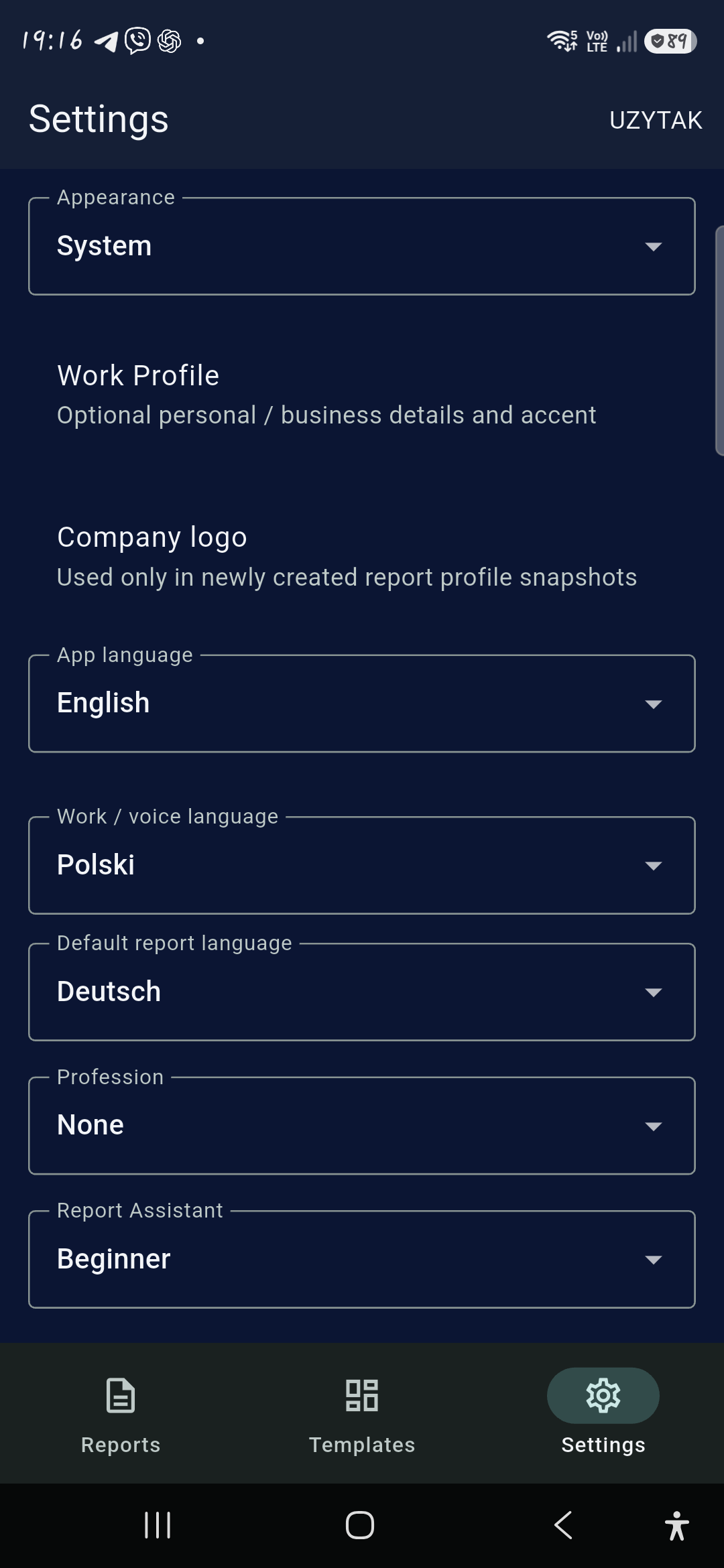
Keep menus in English, choose Polish for work and speech, and set German as the default for new reports.



Android · Now on Google Play
Work in your language. Report in your client’s.
Turn site photos and notes into a professional PDF report before you leave the job.
Free download for Android. Google Play shows the final price before purchase.
For individual technicians, contractors, installers, inspectors, service workers and field specialists.
How it works
The workflow is deliberately simple enough to understand in seconds and practical enough to use while moving through a job.
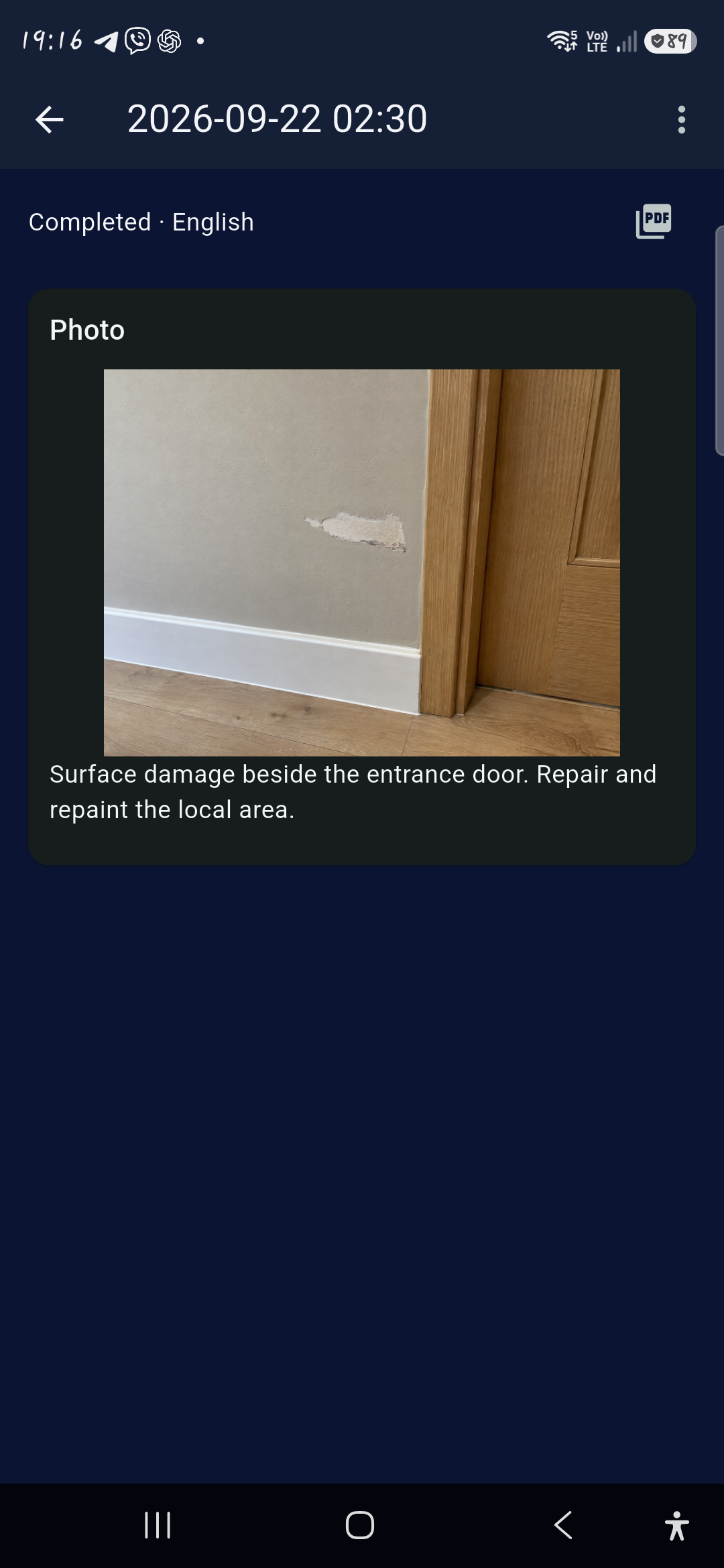
Capture the condition on site. Add Before / After photos when the result matters.
Mark the detail and add a written or editable voice-to-text note.
Finish a professional report with your company identity and chosen report language.
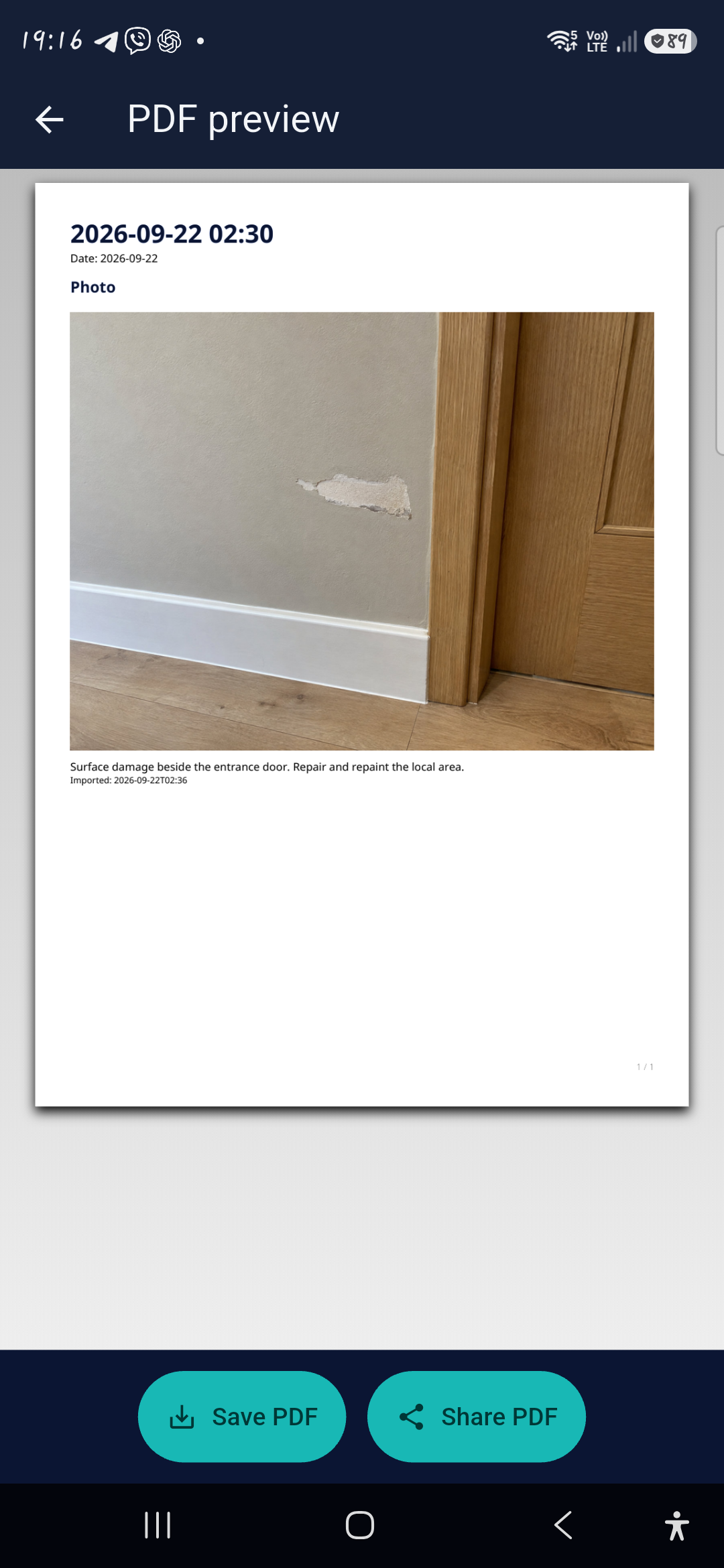
Save the PDF or send it through your chosen app. Re-share completed work whenever needed.
Your working language. Their report language.
Any of 10 languages for your work — any of 10 for your client’s report.
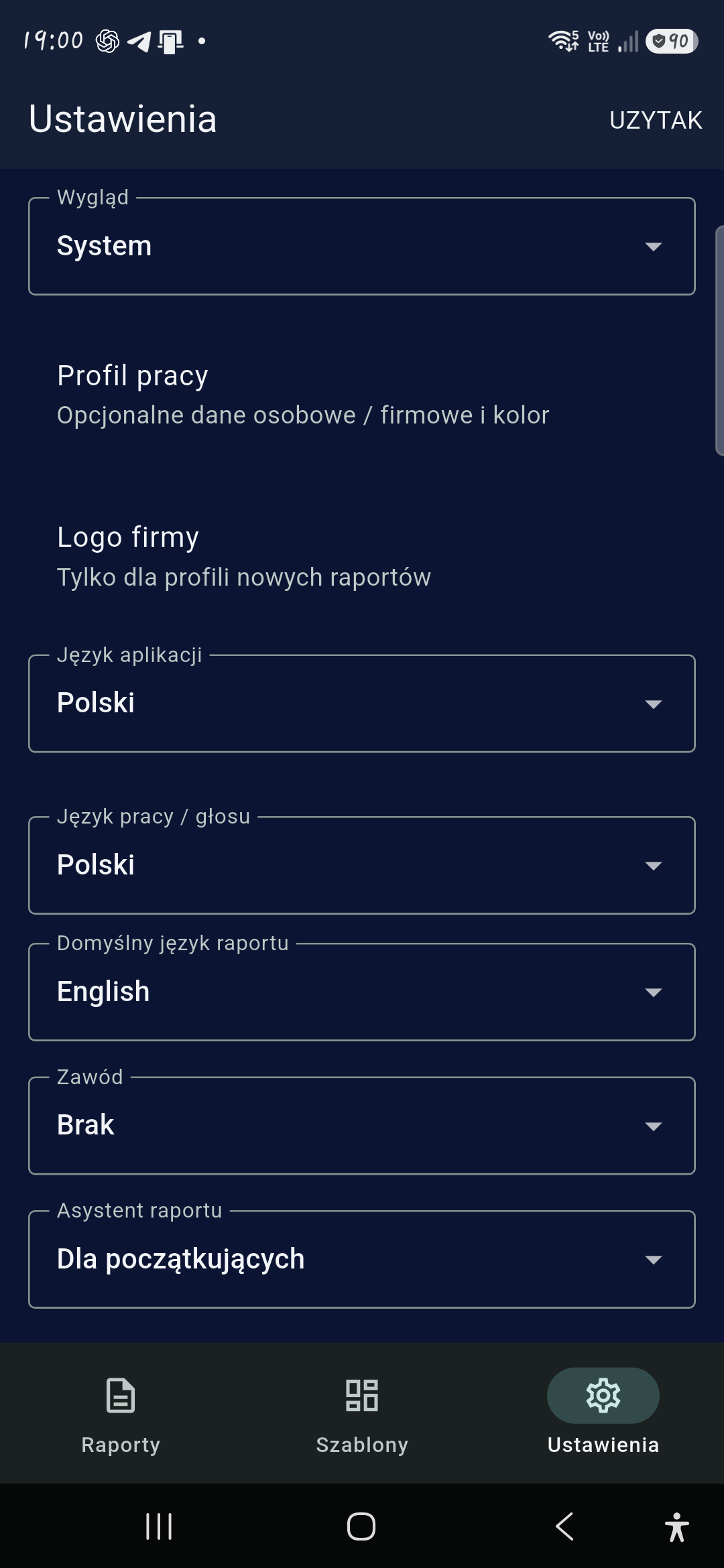
Interface language ≠ Working language ≠ Report language
Use an English interface, work in Polish and prepare a German report — or work entirely in Polish and deliver an English report. AI Translation needs internet access; review the final wording before sharing.
Keep menus in English, choose Polish for work and speech, and set German as the default for new reports.
Work with Polish menus and a Polish work / voice setting. Choose English for your client’s report.
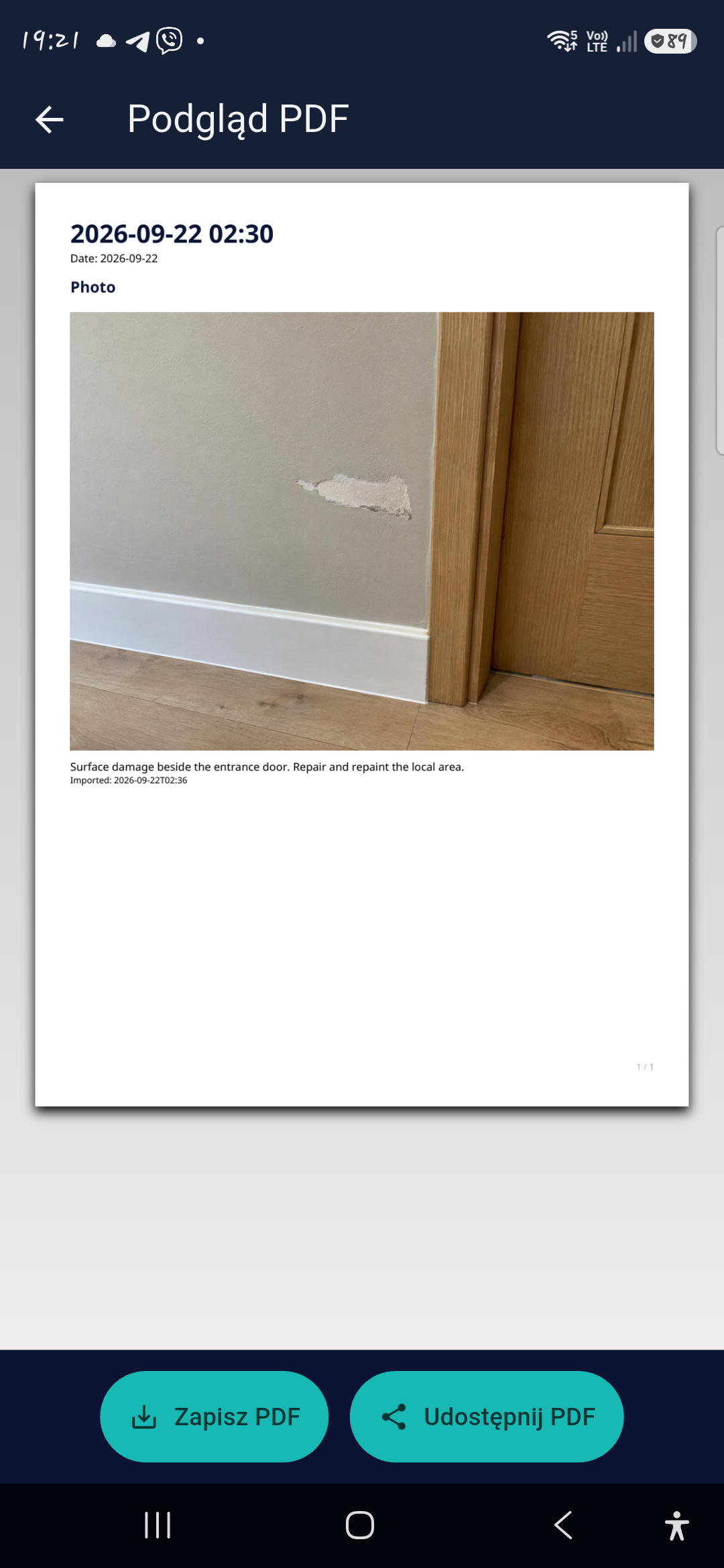
PDF report
Finish preserves a completed report revision. Preview, save or share its PDF. Choose original, translated or bilingual text; the company identity in your report belongs to you.
Why Field Report
What you get in the Android app — no account, no subscription.
Reports and photos stay on your device. Nothing to sign up for.
Core reporting needs no signal. Translation, purchase check and some voice recognition need internet.
Arrows, lines, boxes, circles, freehand, text, numbered markers and measurement labels — plus blur, pixelate or cover to hide sensitive details.
Keep the initial condition, the work and the completion photo together.
Clean, Compact, Photo-first or Before/After — with your logo, company details incl. NIP/VAT, report colour and an on-screen signature (finger or S Pen).
24 block types: checklists, measurements, yes/no, choices, signatures, tags, status and more.
Completed reports can’t be silently changed — add a revision or addendum instead.
Back up and restore everything as a single .uzytak.zip file.
Quick Capture and home-screen widgets, autosave and crash recovery, search and Draft / Completed filters.
Free and Lifetime Pro
Built for professionals who need great field reports — not another expensive monthly SaaS subscription.
Free download
One-time in-app purchase
Founding Pro
Purchases in the first 30 days after the public Google Play launch keep AI Translation permanently, with no user-facing translation quota.
No. Lifetime Pro is a one-time in-app purchase on Google Play. There is no monthly fee and no annual plan.
You can complete three full reports in total before buying. Drafts and the in-app PDF preview do not use them up, and completed reports stay available to share again.
Google Play shows the final price in your country’s currency, including applicable taxes, before you pay. This website does not take payment.
Ten: Deutsch, English, Español, Français, Italiano, Nederlands, Polski, Svenska, Русский and Українська. You choose the app interface, your work / voice language and the report language separately — any of 90 language pairs. PDFs can be Original, Translated or Bilingual; translations are editable and the original is always kept. Voice dictation depends on your phone’s speech recognition. Review translated text before you share the report.
No account: there is no UZYTAK email or password registration, and your reports and photos stay on your device. Core reporting works offline on site; AI Translation, purchase verification and some speech recognition need a connection. Purchases and restores use your Google Play account.
Not at the moment. Field Report is available for Android on Google Play.
Actual Android 1.0.0 screenshots. The example job photo is fictional/synthetic, not a customer case study. No iOS availability or Business OS integration is implied.