



Android app · UZYTAK Warranty & Service Book
Every warranty you gave, every service on time
Write down each installation once — device, serial numbers, install date, warranty. The app reminds you when the yearly service, a warranty end or an F-gas check is coming, and one tap calls the client. Repeat paid work instead of a forgotten customer.
- Free: up to 5 installations
- No subscription
- No ads, no account
- Works offline
- 10 languages
Android 8 or newer · reminders are scheduled on your phone, nothing goes through a server
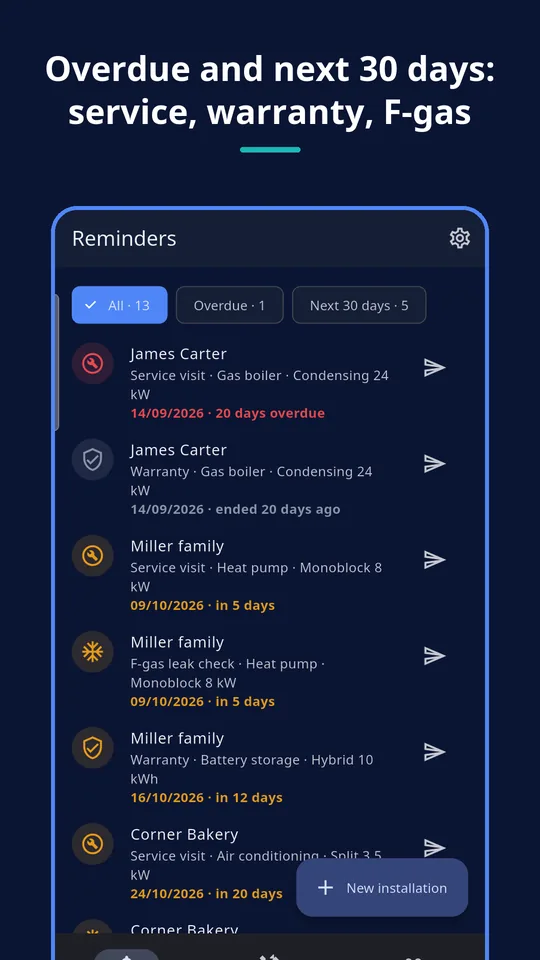
Inside the app
Made for installers who come back
Heat pumps, boilers, air conditioning
Yearly service and F-gas leak checks for every unit you fitted — with the serial numbers at hand when the client calls.
PV, batteries, EV chargers
Install date, inverter and battery serial numbers and warranty ends in one place, years later.
Windows, doors, roofs, renovation
The warranty you gave and the statutory period you track, plus an offer for a yearly inspection.
What you can do
Clients and installations
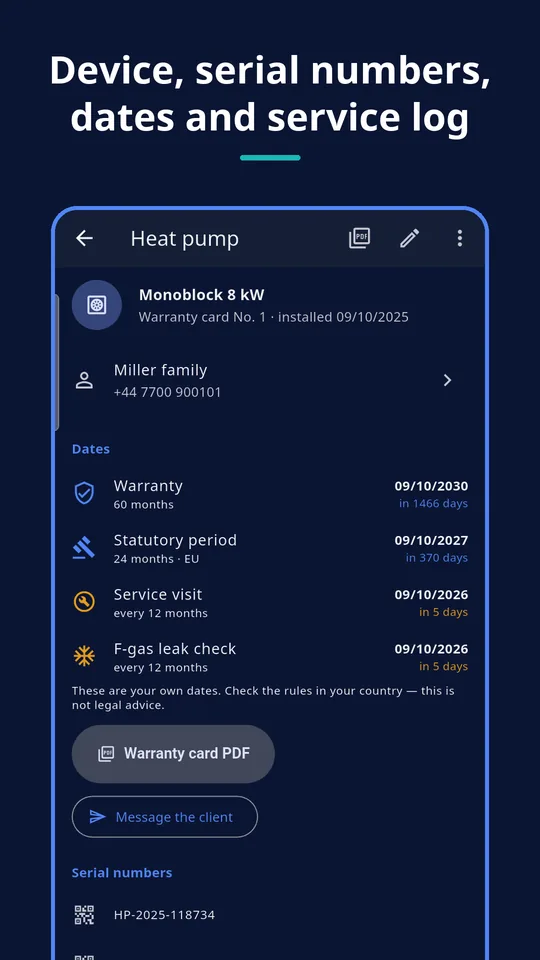
Name, phone, e-mail, address and note; installations by type from a list or your own, with make, model, serial numbers and photos.
Warranty and statutory dates
Warranty in months and a statutory period field with editable presets per country; the end dates are worked out for you.
Reminders and notifications
One list sorted by date with “Overdue” and “Next 30 days”. Phone notifications a chosen number of days before, when you turn them on.
One tap to the client
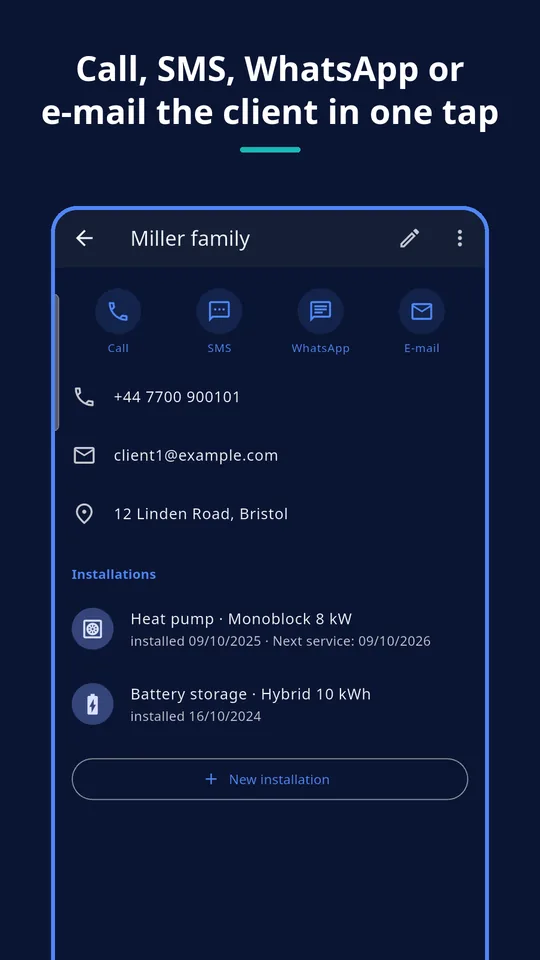
Call, SMS, WhatsApp or e-mail, or share a ready “time for your yearly service” text from a template you can edit.
Service log
Date, what was done, F-gas check done, photos. The next service date is calculated automatically and can be changed.
PDFs and backup
Warranty card and service report PDFs for the client. Pro: one backup file to move everything to a new phone.
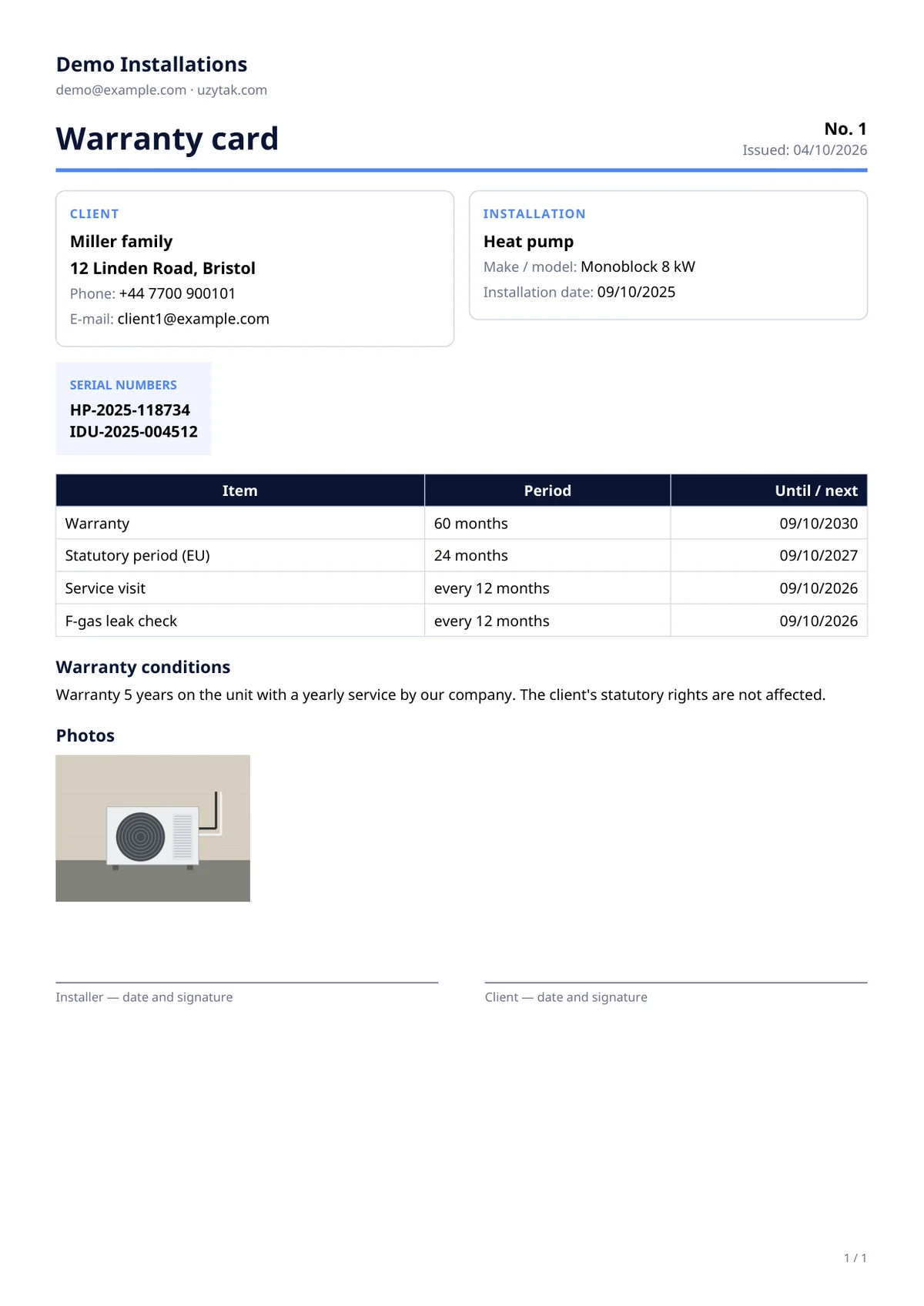
A warranty card your client keeps
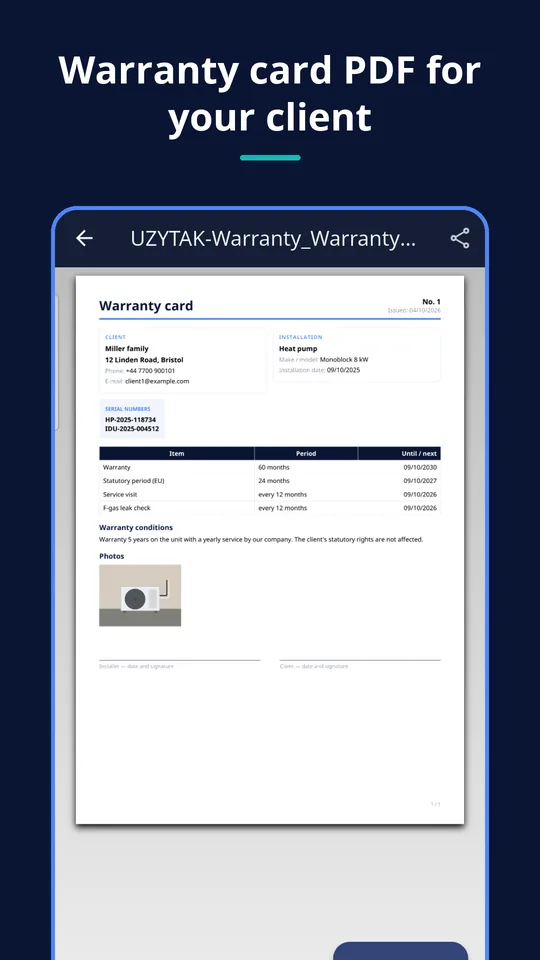
After the installation, the app makes a tidy warranty card from what you entered — share it on WhatsApp, by e-mail or print it. Each service visit can get its own service report PDF.
- Client, installation, make, model and serial numbers
- Install date, warranty end and service interval
- Warranty conditions text and signature lines
- Free version: a small “UZYTAK Warranty & Service Book · uzytak.com” line at the bottom
PRO Your company name, contact details and logo on every PDF, no footer line.
How it works
1. Add the client and the installation
Type, make, model, serial numbers, install date, warranty months and service interval.
2. Turn on reminders
Choose how many days before you want a notification. The reminders list fills itself.
3. Call and come back
One tap to call or message the client, log the visit, share the service report.
Good to know
- Statutory period presets (for example the Polish rękojmia) are information to help you keep your own dates. The app gives no legal advice and does not check compliance — check the rules in your country.
- Data lives on one phone. No cloud, no sync between phones, no team account.
- Moving to a new phone needs the Pro backup file (export, then import).
- No account and no internet needed; Google Play is used only for the Pro purchase.
- Free version: up to five installations; clients are unlimited.
Calls, SMS, WhatsApp and e-mail open your phone's own apps — the app never sends anything by itself.
Free and Pro
| Free | Pro | |
|---|---|---|
| Installations | Up to 5 | Unlimited |
| Clients | Unlimited | Unlimited |
| Reminders and notifications | ✓ | ✓ |
| Service log, call / SMS / WhatsApp / e-mail | ✓ | ✓ |
| Warranty card and service report PDF | With a small UZYTAK line | Without it |
| Your company name, contacts and logo on PDFs | — | ✓ |
| Backup export and import | — | ✓ |
Nothing you entered is ever locked: the 6th installation opens the Pro offer, everything else keeps working.
Prices
Pro is one payment in Google Play — no subscription. Google Play shows the price in your currency.
Free
- Up to 5 installations, unlimited clients
- Every reminder and notification
- Warranty card and service report PDF
Pro
- Unlimited installations
- Your company name, contacts and logo on PDFs
- PDFs without the UZYTAK line
- Backup export and import
Questions or ideas?
Write to us — we answer in your language and add what installers ask for.
Questions
Does the app tell me how long the statutory period is?
It offers presets per country as information, and you can change them. They only help you keep your own dates: the app gives no legal advice and does not check compliance. Check the rules in your country.
When do I get a reminder?
When you turn reminders on, choose how many days before. Android shows a notification on the phone at that time; on Android 13 and newer it asks for the notification permission only then.
What happens at the sixth installation in the free version?
Adding a sixth installation opens the Pro offer. Everything you already entered stays as it is; reminders, PDFs and the service log keep working.
Does my client need the app?
No. The client gets a normal PDF or a message through WhatsApp, SMS, e-mail or any other app.
Does it work without internet?
Yes. Everything is done on the phone; the internet is only needed for the Pro purchase in Google Play.
How do I move to a new phone?
With Pro, export one backup file (data and photos), save or share it, and import it on the new phone. Restore purchase brings Pro back with the same Google account.
Where are my clients' details stored?
Only in the app's own storage on your phone. Nothing is uploaded; data leaves the phone only when you share a PDF or a backup file.
UZYTAK Warranty & Service Book · Android · support@uzytak.com · Privacy Policy