



Android app · UZYTAK Scan
Document scanner without watermarks or subscriptions
Scan receipts, invoices, contracts and any paper with Google’s on-device scanner: edges, crop and perspective are fixed automatically. Export a clean PDF or JPG and share it to any app. Your files stay on your phone.
- Unlimited free scanning
- No watermark
- No ads, no account
- Files stay on the phone
★ Built for our own renovation company’s daily work — tested and approved
Android 8 or newer · Pro is a one-time purchase, no subscription
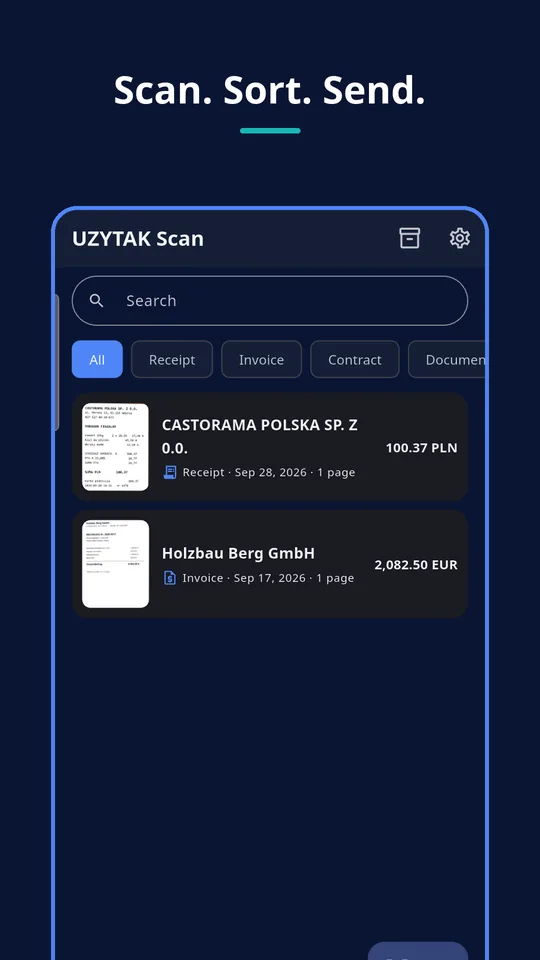
Inside the app
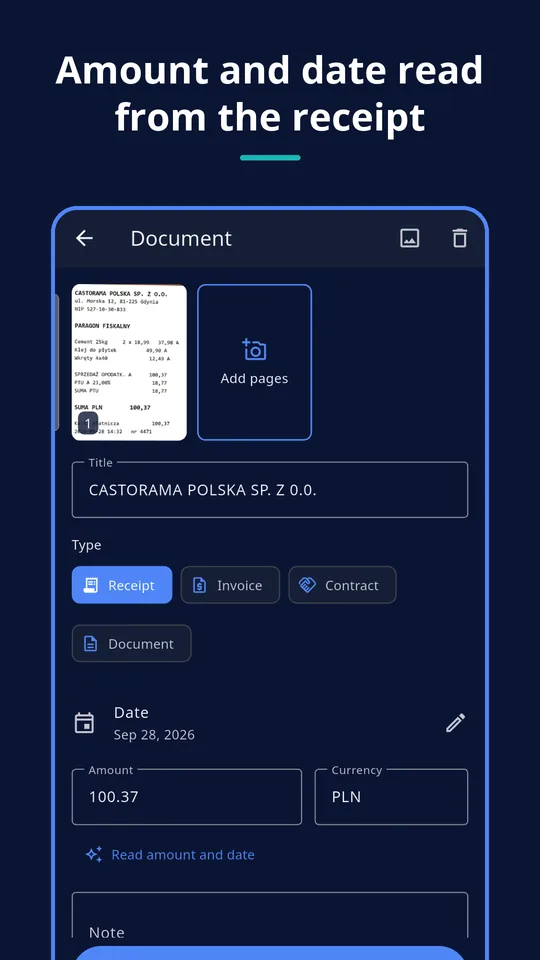
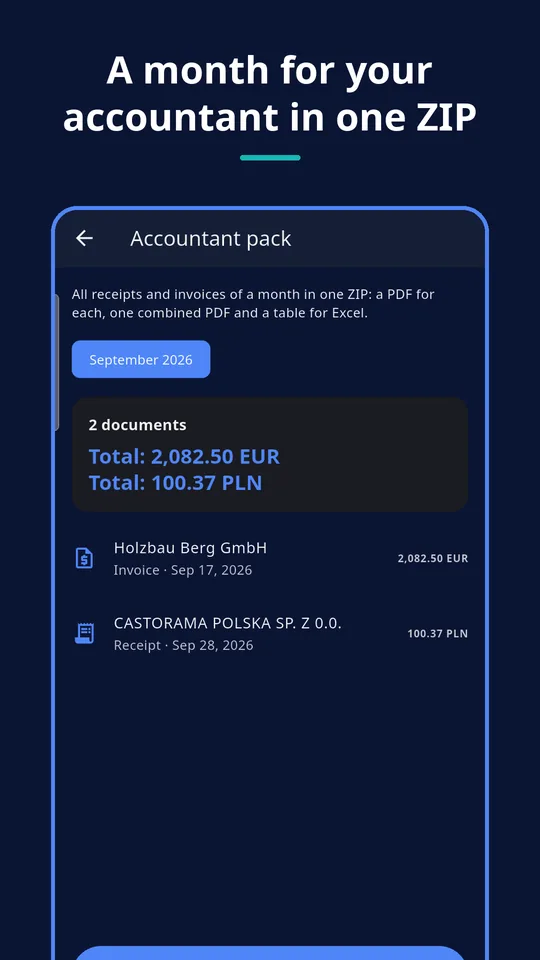
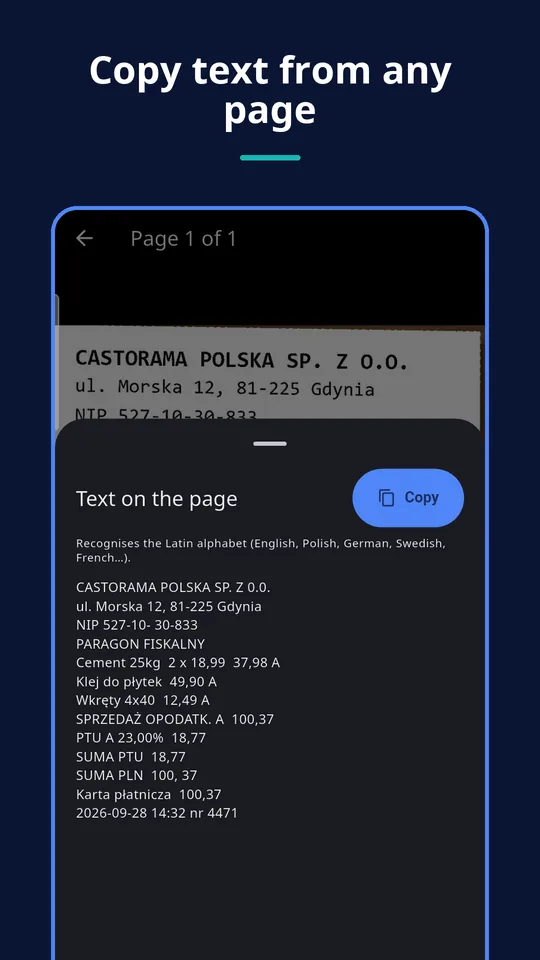
Everything a scanner needs — nothing you don’t
Scans like a pro
Google’s document scanner finds the edges, straightens perspective, crops, cleans shadows and applies filters. Many pages in one go, or import from the gallery.
No camera permission
The scanner runs inside Google Play services, so the app itself never asks for camera access.
Organised library
Types for receipts, invoices, contracts and documents. Search, date, amount with currency and notes.
Clean PDF and JPG
PDF in A4, Letter or as scanned, or JPG pages. Share to e-mail, messengers or any app. Never a watermark.
Recognises receipts
After each scan the text is read on the phone: receipt or invoice, shop or company name. Pro also fills in the total, currency and date.
Private by design
No account, no cloud, no ads. Documents are stored only in the app’s private storage on your phone.
Accountant pack: a month of receipts in one tap
Pick a month and UZYTAK Scan builds one ZIP for your accountant:
- every receipt and invoice as its own PDF
- one combined PDF of the whole month
- a CSV table for Excel (semicolon, UTF-8, decimal comma)
- totals per currency
PRO Included in Pro.
How it works
Scan
Tap Scan and point the camera at the paper — edges and perspective are fixed automatically.
Check
The app suggests the type and name; Pro adds the amount and date. Correct anything you like.
Send
Share a PDF or JPG, or send the whole month to your accountant as one ZIP.
Free vs. Pro
| Free | Pro | |
|---|---|---|
| Unlimited scans and documents | ✓ | ✓ |
| PDF (A4 / Letter / as scanned) and JPG | ✓ | ✓ |
| No watermark, no ads, no account | ✓ | ✓ |
| Type and name recognised automatically | ✓ | ✓ |
| Total, currency and date filled in automatically | — | ✓ |
| Accountant pack (ZIP + PDF + CSV) | — | ✓ |
| Copy text from a page | — | ✓ |
| Small PDF files for e-mail | — | ✓ |
| Price | free | $12.99 once |
Built for our own work first
Every UZYTAK app starts as a tool our own renovation company needs in its daily work. Every month the company’s receipts, invoices and contracts go to the accountant — Scan turns that into one tap. Used, tested and approved in real work before we offered it to you.
UZYTAK
Pay once. Use forever.
Most scanner apps are subscriptions of $20–70 a year and put a watermark on free PDFs. UZYTAK Scan is free without a watermark, and Pro is a single payment — no subscription, updates included. Google Play shows the price in your currency.
Free
- Unlimited scanning and documents
- PDF and JPG export
- No watermark, no ads
Pro
- Accountant pack (ZIP + CSV)
- Automatic amount and date
- Text recognition
- Small PDF files for e-mail
Like the app? Buy the team a coffee
UZYTAK is made by a small team of young developers. A small tip by card, PayPal or crypto keeps the free version free and without ads — coffee and croissants included.
Questions and answers
Is UZYTAK Scan really free?
Yes. Scanning, documents and PDF/JPG export are free without limits, with no watermark and no ads. Pro is an optional one-time purchase for the accountant pack, automatic amount and date, text recognition and small PDF files.
Is Pro a subscription?
No. Pro is a one-time purchase: $12.99, €12.99 or 54,99 zł — Google Play shows the price in your currency. You pay once and keep it.
Where are my documents stored?
Only on your phone, in the app’s private storage. There is no account and no cloud; files leave the phone only when you share them.
Why doesn’t the app ask for camera permission?
Scanning is done by Google’s document scanner inside Google Play services. It hands the finished pages to the app, so UZYTAK Scan itself needs no camera permission.
What is in the accountant pack?
For the month you pick: every receipt and invoice as its own PDF, one combined PDF and a CSV table for Excel (semicolon-separated, UTF-8, decimal comma), with totals per currency.
Which languages can text recognition read?
Text recognition runs on the phone and reads languages written in the Latin alphabet, for example English, Polish, German, French or Spanish.
Which phones are supported?
Android 8 or newer with Google Play services.
Scanning and text recognition: Google ML Kit (Google Play services), on the device · Privacy Policy