



Android app · UZYTAK Reader
EPUB, PDF, FB2, MOBI and DjVu reader — every book in one app
UZYTAK Reader opens every book file you have — in one app, with one comfortable reading screen.
No ads, no account, no subscription. Your books stay on your phone.
- 17 formats
- No ads, no account
- Works offline
- No subscription
- 10 languages
Android 8 or newer · your books stay on your phone
Every book format in one reader
Open books, documents and comics you already have — from Telegram, e-mail, the browser, Downloads or an SD card.
- EPUB
- FB2
- FB2.ZIP
- MOBI
- AZW3
- DjVu
- DOC
- DOCX
- RTF
- ODT
- TXT
- HTML
- Markdown
- CBZ
- CBR
- CB7
- Books from Telegram, e-mail, a file manager or the browser: tap the file → "Open with" → UZYTAK Reader
- "Find all books on the phone": Downloads, Telegram, SD card — the files stay where they are
- Or choose files or a whole folder
- Old Russian and Polish TXT files in windows-1251, KOI8-R, cp866 or windows-1250 are recognised automatically
- Word, RTF and ODT documents turn into a book with chapters and contents
One app instead of five readers
EPUB reader
EPUB books with their cover, contents, footnotes and your own font, size, margins and page colour.
FB2 reader
FB2 and FB2.ZIP books open directly, with cover, author, contents and footnotes in a small window.
PDF reader
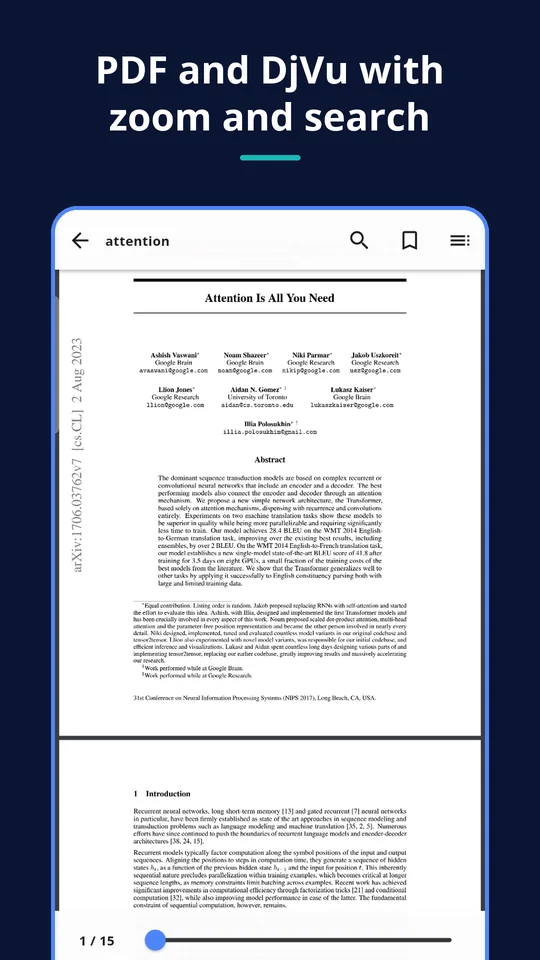
Fast PDFium engine: zoom, continuous scroll or page by page, search, contents and night mode.
DjVu reader
Scanned books in DjVu with zoom and contents.
MOBI and AZW3 reader
Kindle-format books without DRM, read with the same settings as every other book.
DOCX, RTF, TXT and comics
Word, RTF and ODT become a book with chapters; old TXT encodings are recognised; CBZ, CBR and CB7 comics page by page.
Inside the app
Made for long, comfortable reading
Read the way you like
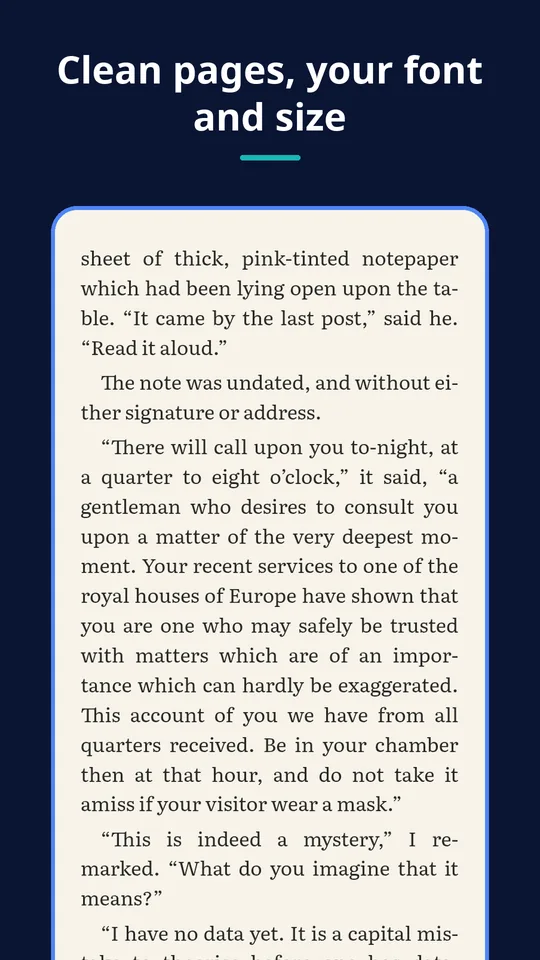
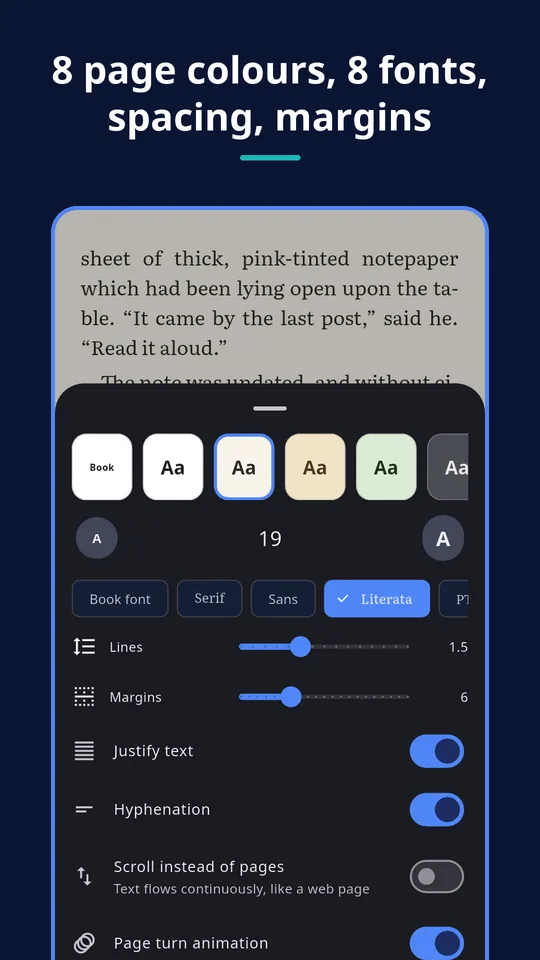
- 8 page colours: white, paper, sepia, green, grey, night, black — or the book's own colours
- Fonts Literata, PT Serif, Noto Sans, OpenDyslexic for dyslexia, serif, sans and mono
- Font size, line spacing, margins, justified text and hyphenation
- Turn pages by tapping the edges, swiping or with the volume keys — or scroll like a web page
- Two pages side by side in landscape on tablets
- Full screen, brightness right in the book, the screen stays on while you read
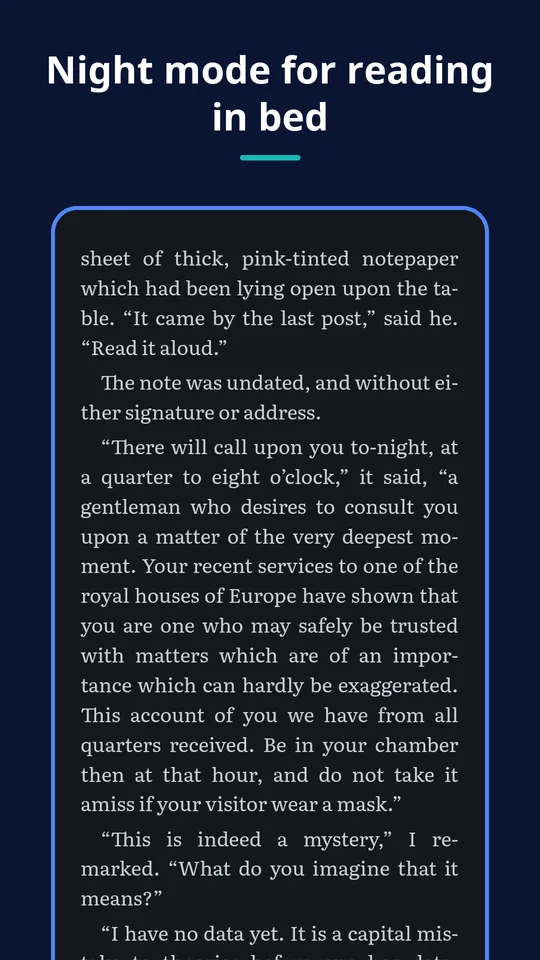
- Night colours turn on together with the phone's dark mode
Find your way
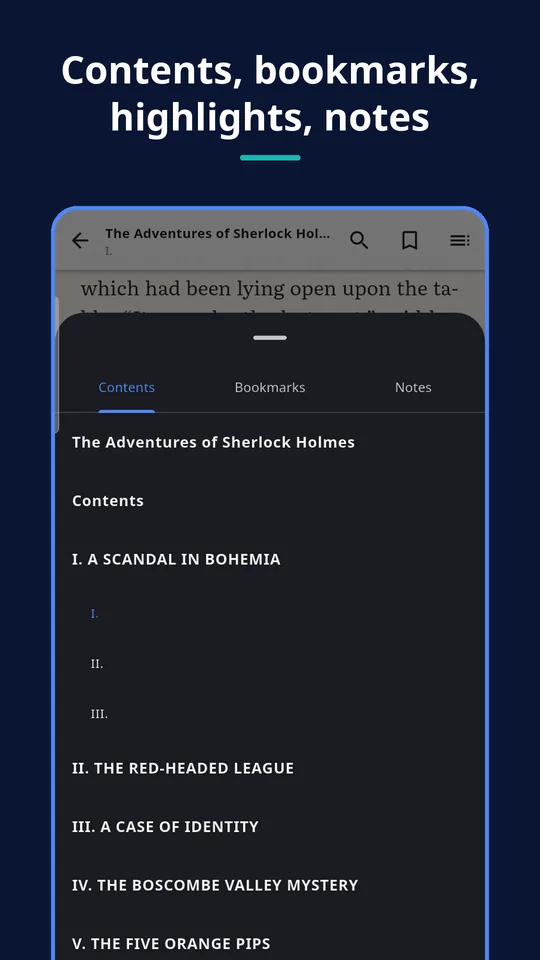
- Contents with chapters and sub-chapters
- Bookmarks, highlights in 5 colours and notes
- Search in the whole book
- Footnotes open in a small window — no jumping back and forth
- Chapter title, % read and minutes left to the end of the chapter and the book
PDF, DjVu and comics
- PDF: fast PDFium engine, zoom, continuous scroll or page by page, search, contents, night mode
- DjVu: scanned books with zoom and contents
- Comics CBZ, CBR, CB7, CBT: page by page, double-tap zoom, right-to-left for manga
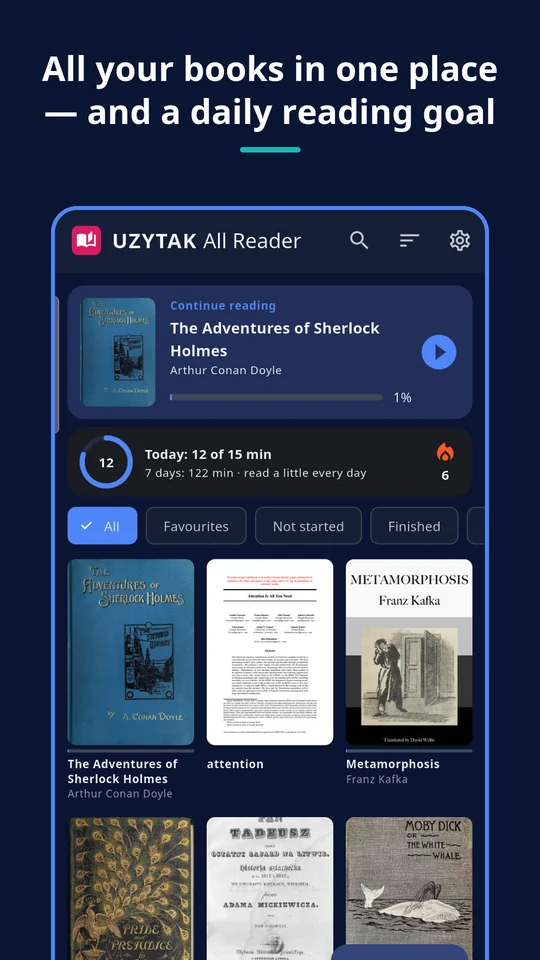
Your library
- Covers, title and author read from the book
- "Continue reading" in one tap
- Sort by recently read, added, title, author, progress; favourites, not started, finished
- Filter by format, search by title, author or file name
Read aloud PRO
The phone reads any book to you sentence by sentence and highlights the sentence — speed and pitch to your taste. Uses the phone's own voices (Google text-to-speech).
How it works
1. Open a book
Tap a book file in Telegram, e-mail or a file manager → “Open with” → UZYTAK Reader. Or let the app find all books on the phone.
2. Set up the page
Pick a page colour, font, size and spacing once — every book opens the same way.
3. Read and come back
Bookmarks, highlights and notes stay with the book; “Continue reading” brings you back in one tap.
Good to know
- UZYTAK Reader opens files you already have. It is not a book store and does not sell or download books.
- Books protected by DRM (bought in the Kindle or Adobe stores) cannot be opened by any third-party reader, including this one.
- “Find all books on the phone” is optional. Without it you still open books from the file picker, “Open with” and “Share”.
- Read aloud uses the voices installed on your phone, so the available languages and voice quality depend on the phone.
- Your library, bookmarks and notes live on this phone. There is no cloud and no sync between devices.
Free and Pro
| Free | Pro | |
|---|---|---|
| All 17 formats | ✓ | ✓ |
| Every reading setting: colours, fonts, spacing, night mode | ✓ | ✓ |
| Library, bookmarks, highlights, notes, search | ✓ | ✓ |
| No ads, no limits | ✓ | ✓ |
| Read aloud | — | ✓ |
| Export of highlights and notes | — | ✓ |
Free
every format, every reading setting, library, bookmarks, highlights, notes, search — no limits and no ads
Coming to Google PlayPro
read aloud, export of highlights and notes, and you support a small team
Coming to Google PlayPro is one payment in Google Play — no subscription. Google Play shows the price in your currency.
Your books stay yours
No account, no cloud, no ads, no analytics. Books and notes stay on your phone. The app reads book files only; files leave the phone only when you share them yourself. Books protected by DRM (bought in the Kindle or Adobe stores) cannot be opened by any third-party reader.
Questions or ideas?
Write to us — a small team answers in your language and adds what readers ask for.
Questions
Which formats does UZYTAK Reader open?
EPUB, PDF, FB2, FB2.ZIP, MOBI, AZW3, DjVu, DOC, DOCX, RTF, ODT, TXT, HTML, Markdown and the comic formats CBZ, CBR and CB7.
Can it open Kindle or Adobe books I bought?
Not if they are protected by DRM — no third-party reader can open those. MOBI and AZW3 files without DRM open normally.
Does it need internet or an account?
No. Everything works offline and without an account. The internet is only used when you buy Pro in Google Play.
Why can the app ask for access to all files?
Only when you tap “Find all books on the phone”. The access is used to find book files (Downloads, Telegram, SD card) and read them; nothing is uploaded and the files stay where they are. You can skip it and open books from the file picker, “Open with” or “Share”.
What is free and what is Pro?
Everything for reading is free, with no limits and no ads: every format, every setting, library, bookmarks, highlights, notes and search. Pro, paid once, adds read aloud and the export of highlights and notes.
Which voices does read aloud use?
The phone's own text-to-speech engine (for example Google text-to-speech). Speed and pitch can be changed; the languages depend on the voices installed on the phone.
My old TXT book shows strange characters. What can I do?
Open it in UZYTAK Reader: old Russian and Polish TXT files in windows-1251, KOI8-R, cp866 or windows-1250 are recognised automatically.
UZYTAK Reader · Android · support@uzytak.com · Privacy Policy