



Windows app · UZYTAK Docs
Open and edit every document on your PC — PDF, Word, Excel, PowerPoint and e-books
UZYTAK Docs is one app for all your files. Open PDF, DOCX, DOC, ODT, RTF, XLSX, XLS, ODS, CSV, PPTX, ODP, EPUB, FB2, MOBI, DjVu, comics (CBZ, CBR), pictures and text files — in tabs, like a browser.
Everything happens on your PC. No account, no cloud, no tracking. 10 languages.
- PDF, Word, Excel, PowerPoint
- No ads, no account
- Works offline
- No subscription
- 10 languages
Windows 10 and 11 · your files stay on your PC
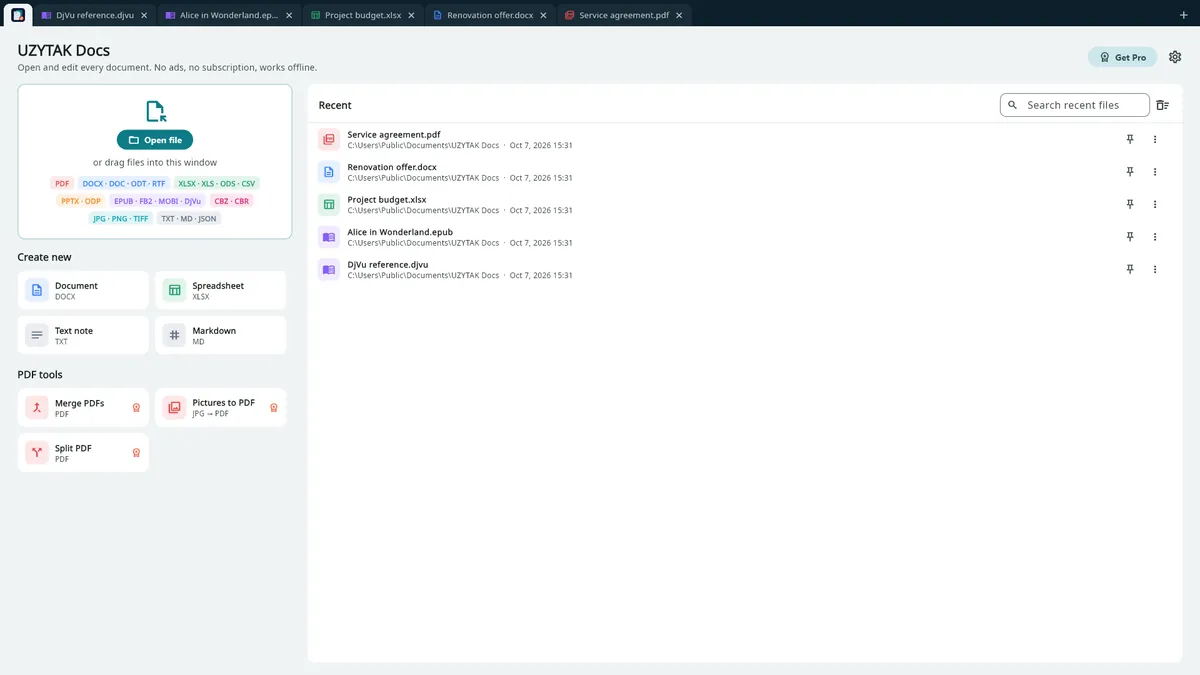
One app for all your files
Documents, spreadsheets, presentations, PDFs, e-books, scans and comics open in tabs, like a browser. Drag files into the window or double-click them.
- DOCX
- DOC
- ODT
- RTF
- XLSX
- XLS
- ODS
- CSV
- PPTX
- ODP
- EPUB
- FB2
- MOBI
- AZW3
- DjVu
- CBZ
- CBR
- CB7
- CBT
- JPG
- PNG
- TIFF
- TXT
- Markdown
What you can do
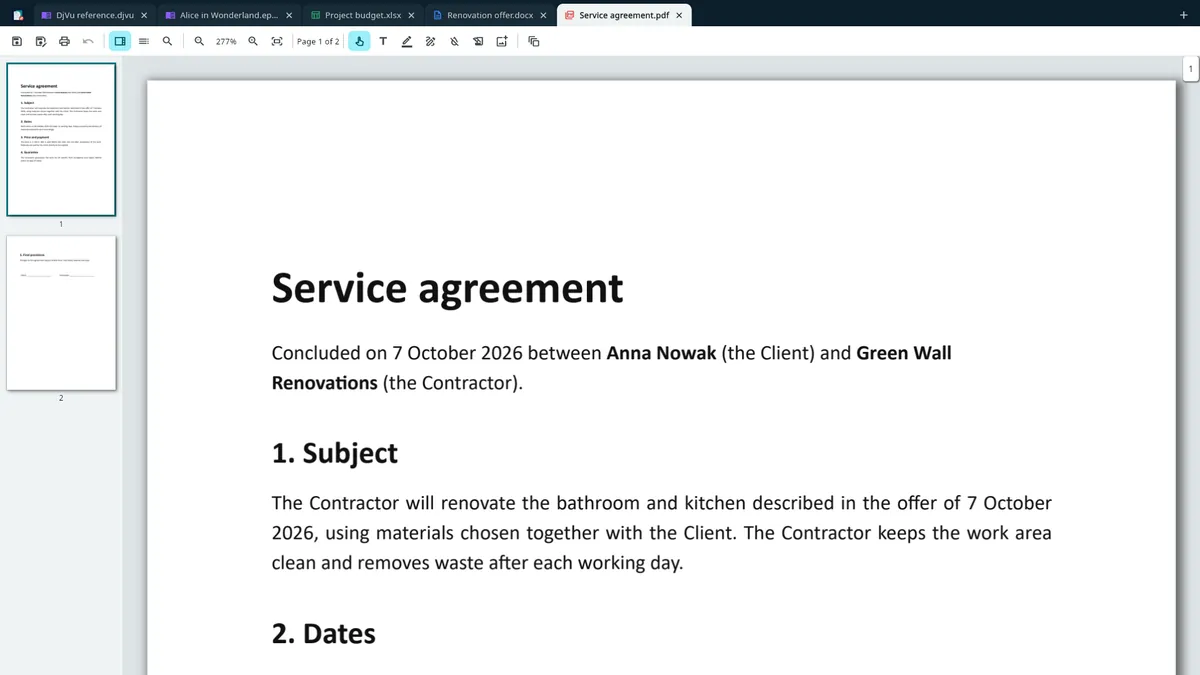
PDF reader and editor
Read, search, print — and edit: type text, sign, highlight, draw, white-out, add pictures; rotate, delete, reorder, insert and extract pages; merge and split PDFs.
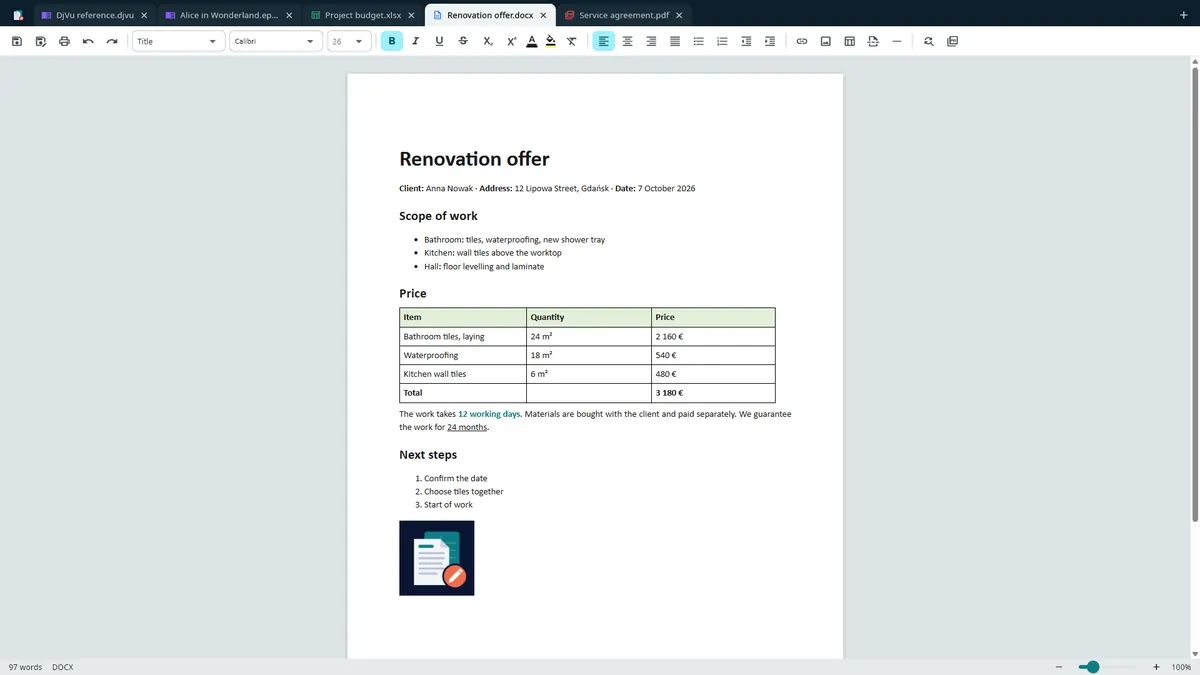
Word processor
Edit Word, ODT and RTF files — formatting, lists, tables, pictures, page breaks.
DOCX · DOC · ODT · RTF
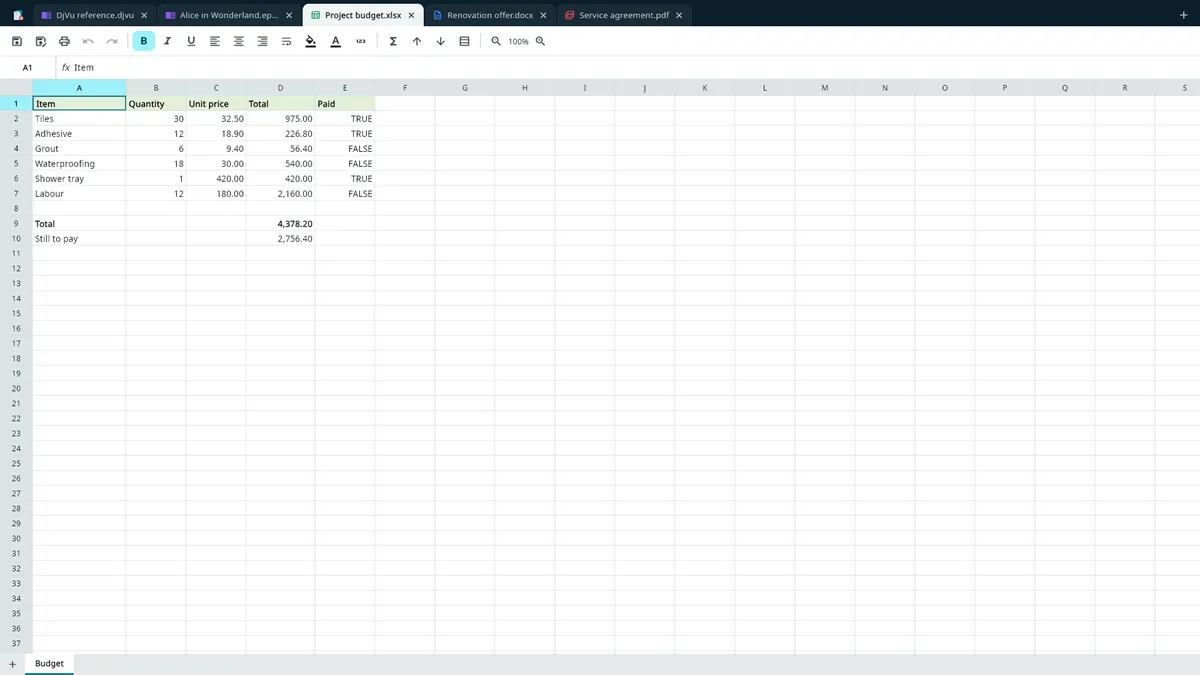
Spreadsheets
Excel, ODS, CSV with formulas (SUM, VLOOKUP, IF and many more), several sheets, sorting.
XLSX · XLS · ODS · CSV
Presentations
View slides, run a slideshow, edit text, save as PDF.
PPTX · ODP
E-books, DjVu and comics
E-books and DjVu scans with comfortable themes and fonts.
EPUB · FB2 · MOBI · AZW3 · DjVu · CBZ · CBR · CB7 · CBT
Inside the app

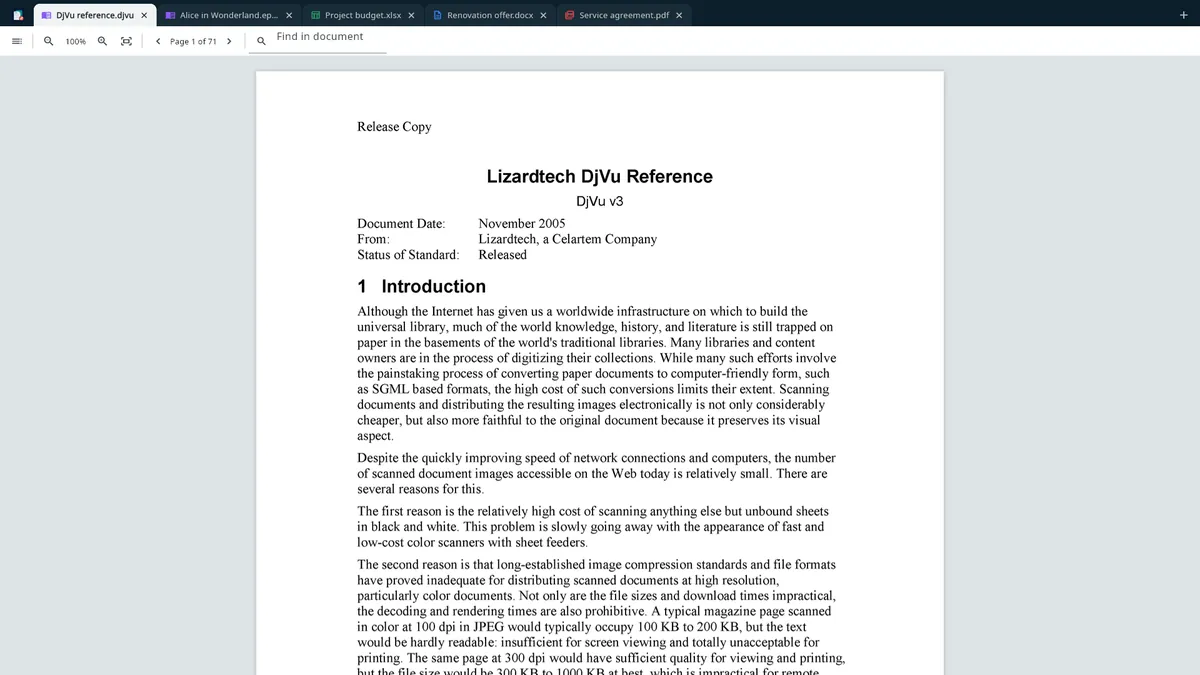
How it works
1. Open a file
Click “Open file”, drag files into the window or double-click a file. Every file opens in its own tab.
2. Read and edit
Type in documents, change cells and formulas, mark up PDFs, read e-books — the tools change with the file type.
3. Save and print
Save in the file's own format or print through Windows. With Pro, also save as PDF or convert to another format.
Good to know
- UZYTAK Docs is a Windows app for Windows 10 and Windows 11. For e-books on an Android phone there is UZYTAK Reader.
- Everything works offline. Files are opened from your PC and saved where you choose — nothing is uploaded, and there is no cloud or sync.
- E-books and the word processor are shown with Microsoft Edge WebView2, which comes with Windows — nothing extra to install.
- To open files with a double-click: right-click a file → “Open with” → UZYTAK Docs. Files opened this way go to new tabs in the open window.
- E-books protected by DRM (bought in the Kindle or Adobe stores) cannot be opened by any third-party app, including this one.
- UZYTAK Docs is not Microsoft Office: very complex layouts can look slightly different, and macros are not run.
Free and Pro
| Free | Pro | |
|---|---|---|
| Open and read every format | ✓ | ✓ |
| ✓ | ✓ | |
| Edit and save documents, spreadsheets, presentations and text files in their own format | ✓ | ✓ |
| Tabs, drag and drop, “Open with” | ✓ | ✓ |
| No ads, no account, works offline | ✓ | ✓ |
| PDF editing: text, signature, highlighter, drawing, white-out, pictures | — | ✓ |
| PDF page tools: rotate, delete, reorder, insert, extract | — | ✓ |
| Merge and split PDFs, pictures to PDF | — | ✓ |
| Convert between formats and save as PDF | — | ✓ |
Free
Open, read, print and edit in the file's own format.
Coming to Microsoft StorePro
PDF editing, page tools, converting between formats, saving as PDF.
Coming to Microsoft StorePro is a one-time add-on in the Microsoft Store — no subscription. The Store shows the price in your currency.
Your files stay on your PC
UZYTAK Docs works offline. There is no account, no ads, no analytics and no telemetry. Files are opened only when you open them and are never uploaded; settings, the recent files list and saved signatures stay in the app's folder on your PC. Purchases go through the Microsoft Store — we never see your payment details.
Questions or ideas?
Write to us — a small team answers in your language and adds what users ask for.
Questions
Which formats does UZYTAK Docs open?
PDF; Word DOCX, DOC, ODT and RTF; Excel XLSX, XLS, ODS and CSV; PowerPoint PPTX and ODP; e-books EPUB, FB2, MOBI and AZW3; DjVu scans; comics CBZ, CBR, CB7 and CBT; pictures; TXT and Markdown.
Do I need Microsoft Office?
No. UZYTAK Docs opens and edits Word, Excel and PowerPoint files on its own, without Office installed.
What is free and what is Pro?
Free: open, read and print every format, and edit and save files in their own format — with no ads and no time limit. Pro, a one-time add-on in the Microsoft Store, adds PDF editing and page tools, merging and splitting PDFs, pictures to PDF, converting between formats and saving as PDF.
Are my files uploaded anywhere?
No. Files are opened only when you open them, and they stay on your PC. The app has no account, no cloud, no analytics and no telemetry.
Does it need the internet?
No. Everything works offline. The internet is only used by the Microsoft Store when you install the app or buy Pro.
Which Windows versions are supported?
Windows 10 and Windows 11. E-books and the word processor use Microsoft Edge WebView2, which comes with Windows, so there is nothing extra to install.
How do I open files with a double-click?
Right-click a file → “Open with” → UZYTAK Docs, and choose “Always” if you like. Files you open this way go to new tabs in the open window.
UZYTAK Docs · Windows · support@uzytak.com · Privacy Policy