



Android app · UZYTAK Photo Measures
Dimensions right on the photo
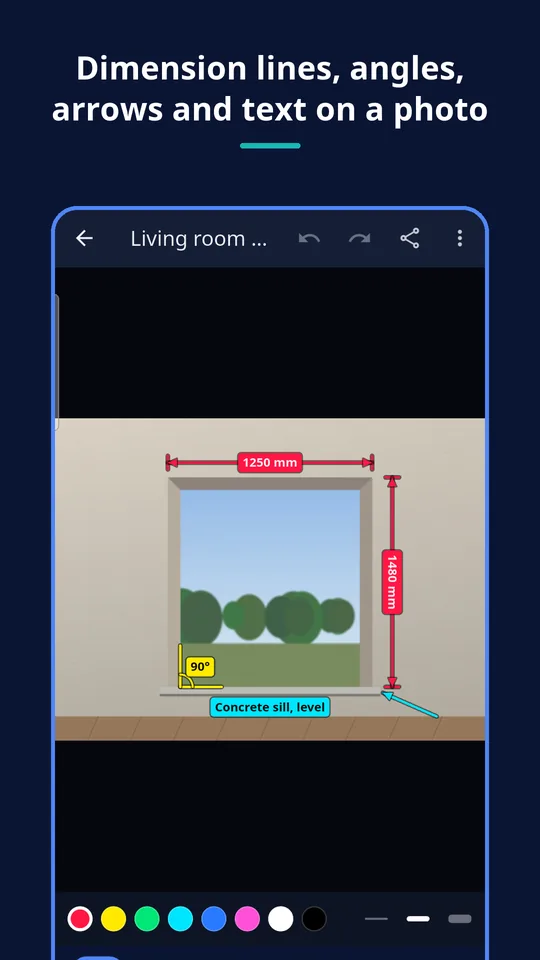
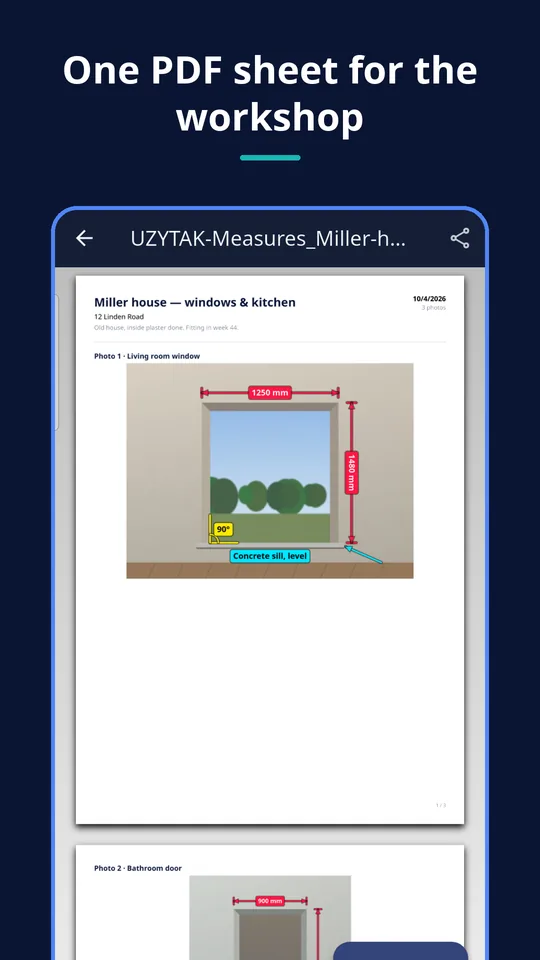
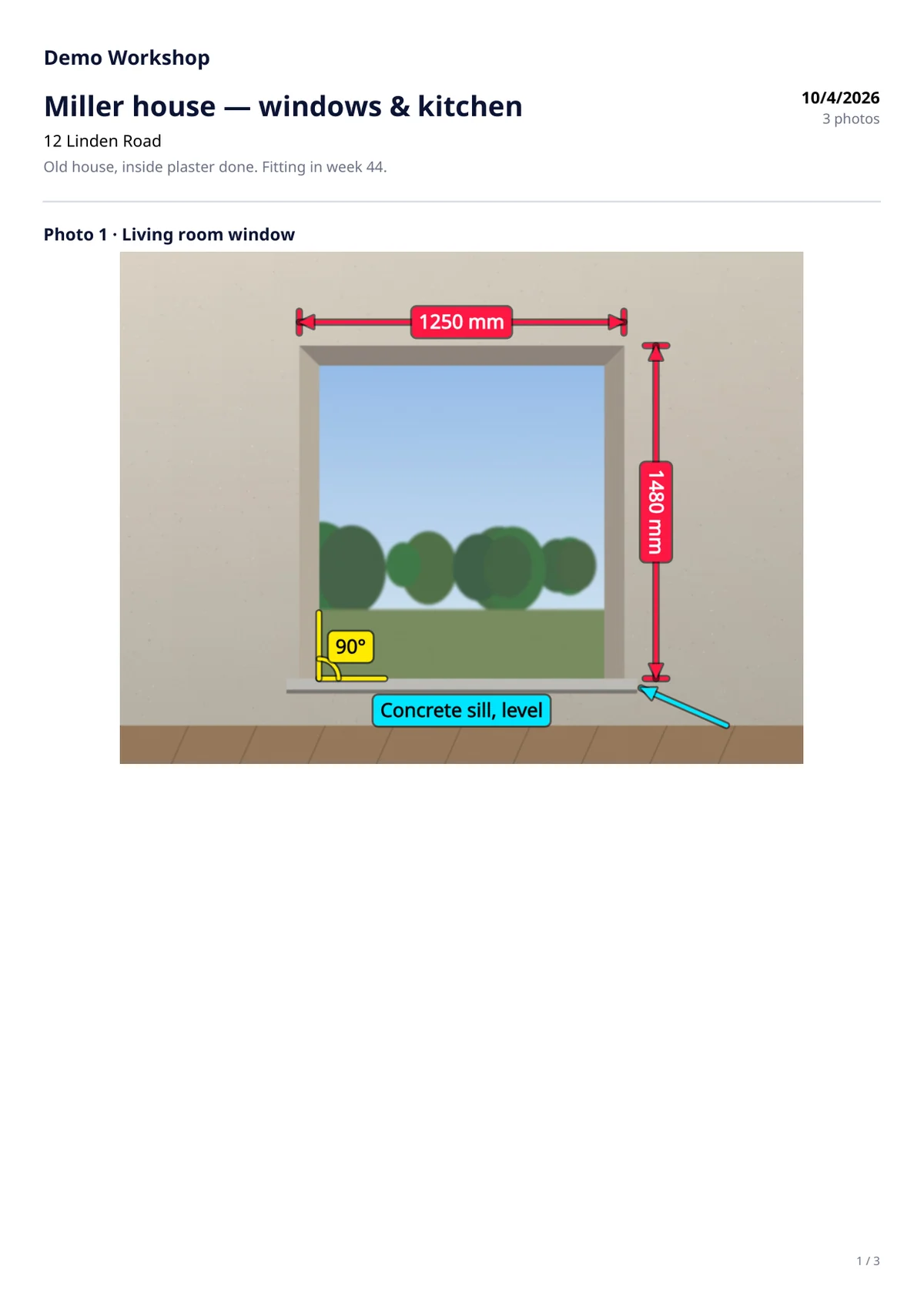
Take a photo of the opening, draw the dimension lines on it and type the values you measured. The workshop gets one clear PDF sheet instead of a blurry photo and a separate note.
- Free: 1 project, 3 photos
- No subscription
- No ads, no account
- Works offline
- 10 languages
Android 8 or newer · the app does not measure: you type what your tape or laser shows
Inside the app
Made for people who measure on site
Window and door fitters
Width, height, reveal and sill on the photo of the opening — the workshop sees exactly which side is which.
Kitchen and wardrobe makers
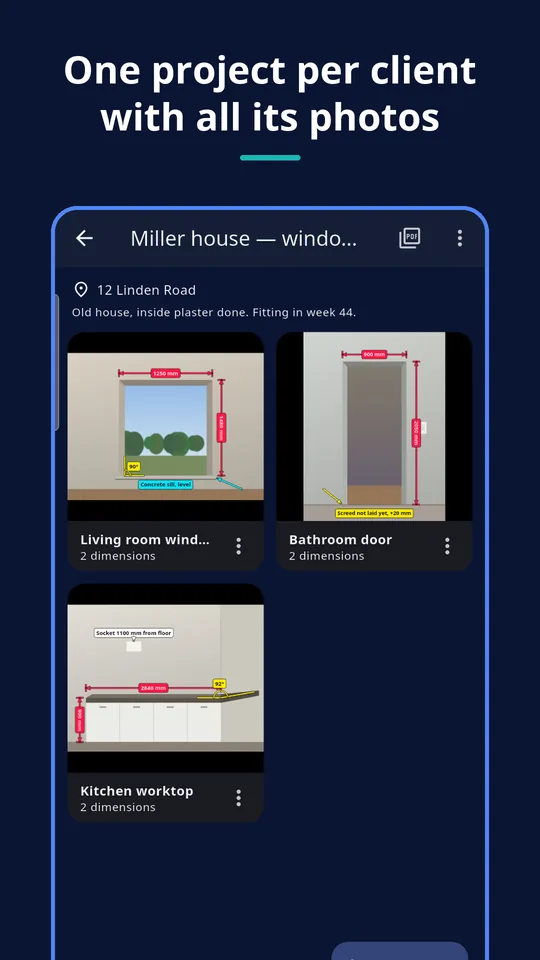
Wall lengths, corner angles, sockets and pipes marked on the photo of the room, in one project per client.
Stair, countertop and tile work
Countertop runs, steps, niches and out-of-square corners with their angle, ready to send before cutting.
What you can do
Dimension lines
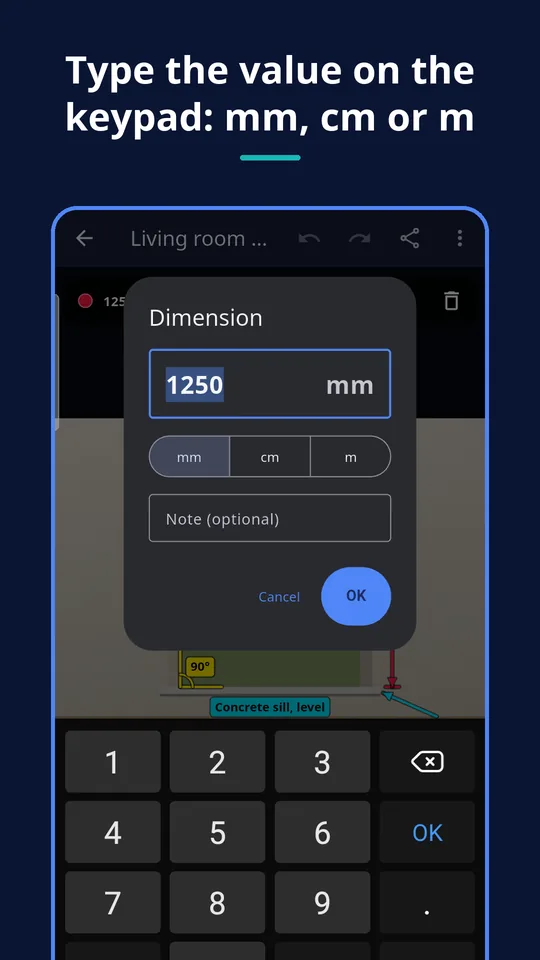
Drag along the opening, type the value in mm, cm or m. Arrows, end ticks and the label are drawn for you.
Angles, arrows, text
Mark an out-of-square corner in degrees, point at a detail, write a note right on the photo.
Readable on any photo
Eight high-contrast colours and three line widths; labels sit on a coloured box with an outline.
Edit freely
Move a mark, drag its end points, change the value, delete it. Undo and redo, zoom with two fingers.
Projects
One project per client or job with address and note, several photos each, from the camera or the gallery.
Share
Each photo with its dimensions as a JPEG, or the whole project as one PDF sheet — through any app.
One sheet the workshop can read
The PDF puts the project header on top and every photo with its dimensions below, two photos per page where they fit.
- Client, address, note and date on top
- Every photo with dimension lines, angles and notes
- Free version: a small “UZYTAK Photo Measures” line at the bottom
- Pro: a table of all dimensions and angles after the photos
PRO Your company name and logo on the header, no footer line, dimension table.
How it works
1. Create a project
Client or job, address, a note for the workshop.
2. Photo and dimensions
Take a photo of the opening, drag the dimension lines and type what you measured.
3. Send
Share the PDF sheet or the JPEGs on WhatsApp, by email or in any other app.
Good to know
- The app does not measure anything: no AR, no automatic measuring. The values are the ones you type.
- A photo is not to scale; the drawn line only shows where a dimension belongs.
- Projects live on one phone. No cloud, no sync between phones, no team account.
- No account and no internet needed; Google Play is used only for the Pro purchase.
- Free version: one project with up to three photos.
Measure as you always do — with your tape or laser. The app makes the result easy to read and send.
Free and Pro
| Free | Pro | |
|---|---|---|
| Projects | 1 | Unlimited |
| Photos | Up to 3 | Unlimited |
| Dimension lines, angles, arrows, text | ✓ | ✓ |
| JPEG export | ✓ | ✓ |
| PDF sheet | With a small UZYTAK line | Without it |
| Table of all dimensions in the PDF | — | ✓ |
| Your company name and logo on the PDF | — | ✓ |
Nothing you made is ever locked: the free version keeps every project and photo.
Prices
Pro is one payment in Google Play — no subscription. Google Play shows the price in your currency.
Free
- 1 project with up to 3 photos
- Every drawing tool
- JPEG and PDF sheet
Pro
- Unlimited projects and photos
- PDF without the UZYTAK line
- Dimension table in the PDF
- Your company name and logo
Questions or ideas?
Write to us — we answer in your language and add what craftspeople ask for.
Questions
Does the app measure the opening from the photo?
No. There is no AR and no automatic measuring. You measure with your tape or laser and type the values; the app draws them on the photo.
Which units can I use?
Millimetres, centimetres or metres, chosen per dimension, with the decimal comma or point of your language. Angles are in degrees.
What happens after three photos in the free version?
Adding a fourth photo opens the Pro offer. Your project and its photos stay as they are; you can still edit, export and share them.
Does the workshop need the app?
No. They get a normal PDF or JPEG files through WhatsApp, email or any other app.
Does it work without internet?
Yes. Everything is done on the phone; the internet is only needed for the Pro purchase in Google Play.
Is there a subscription?
No. Pro is a single payment in Google Play. Restore purchase brings it back on a new phone with the same Google account.
Where are my photos stored?
Only in the app's own folder on your phone. Nothing is uploaded; files leave the phone only when you share them.
UZYTAK Photo Measures · Android · support@uzytak.com · Privacy Policy