



Windows app · UZYTAK PC Care
Clean your PC, keep programs up to date and watch performance live
UZYTAK PC Care replaces a dozen "tune-up" programs with one honest app.
Pay once — no ads, no subscription.
- No ads, no tracking
- No subscription
- History of every change
- Works offline
- 10 languages
Windows 10 and 11 · about 31 MB · nothing runs in the background
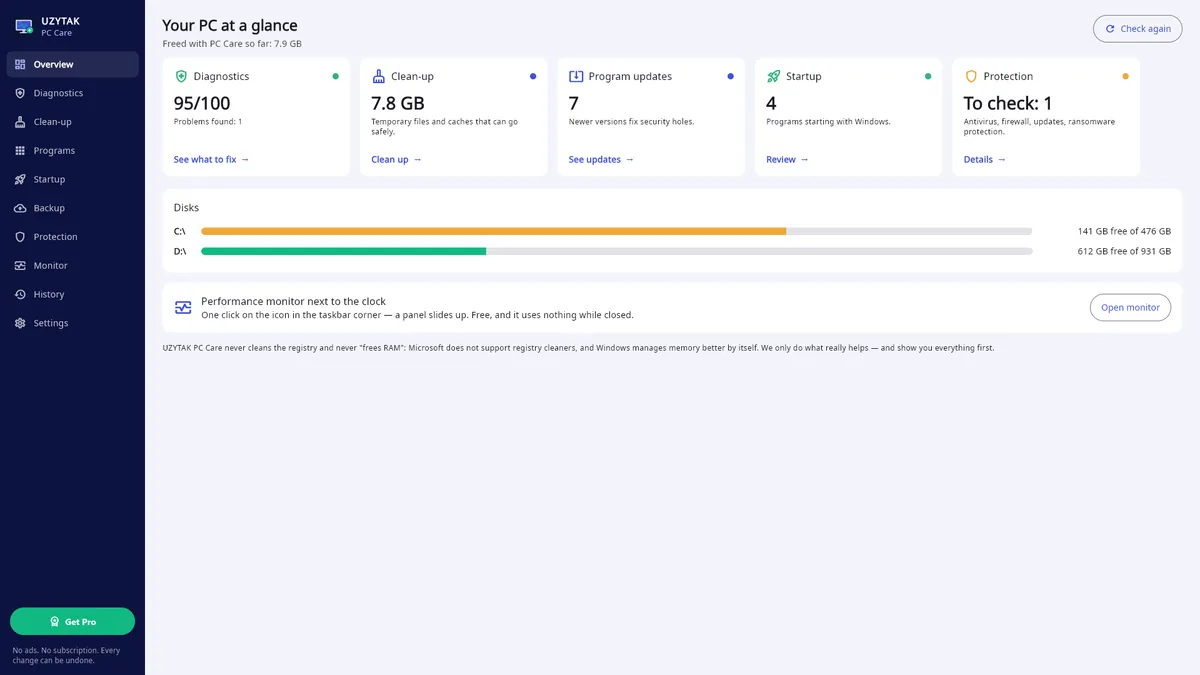
Your PC at a glance
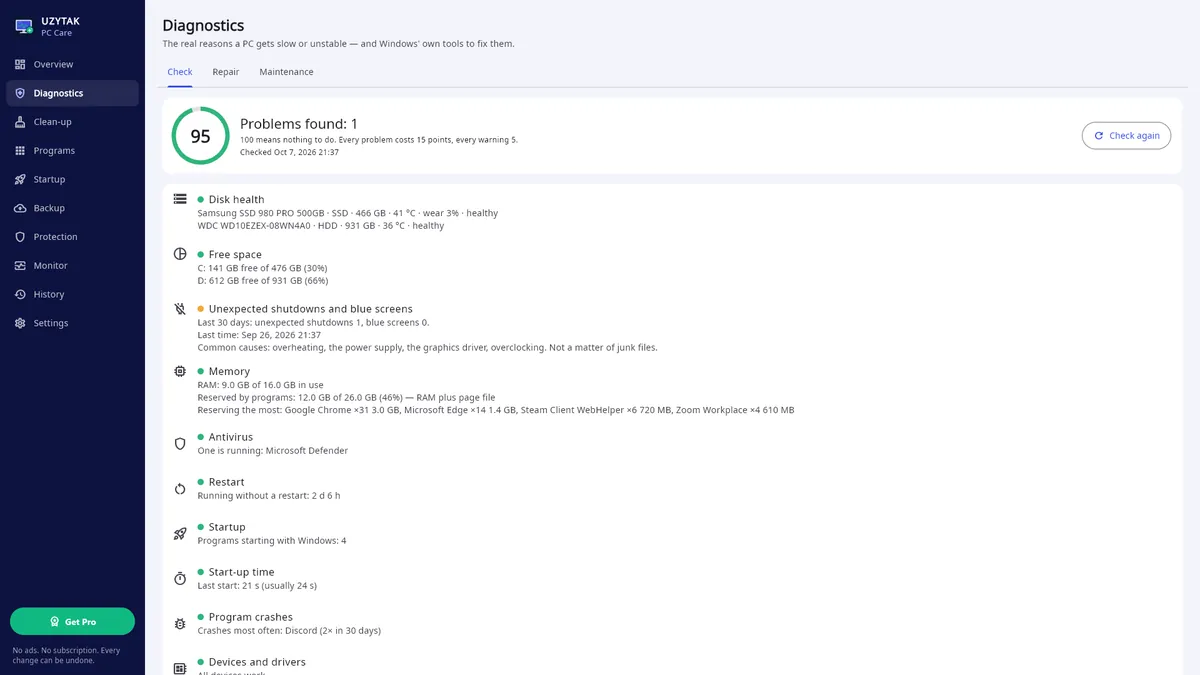
The Overview shows a health score from 0 to 100, junk you can remove, program updates, startup programs, protection and free space on every drive. The score comes from 10 read-only checks — they only look, they never change anything:
- Disk health: temperature, wear, errors (SMART)
- Free space on every drive
- Unexpected shutdowns and blue screens
- Memory in use
- Antivirus (two at once is a problem)
- Time since restart, pending restart
- Programs that start with Windows
- Boot time and its history
- Program crashes
- Devices with driver errors
What it does
Clean-up
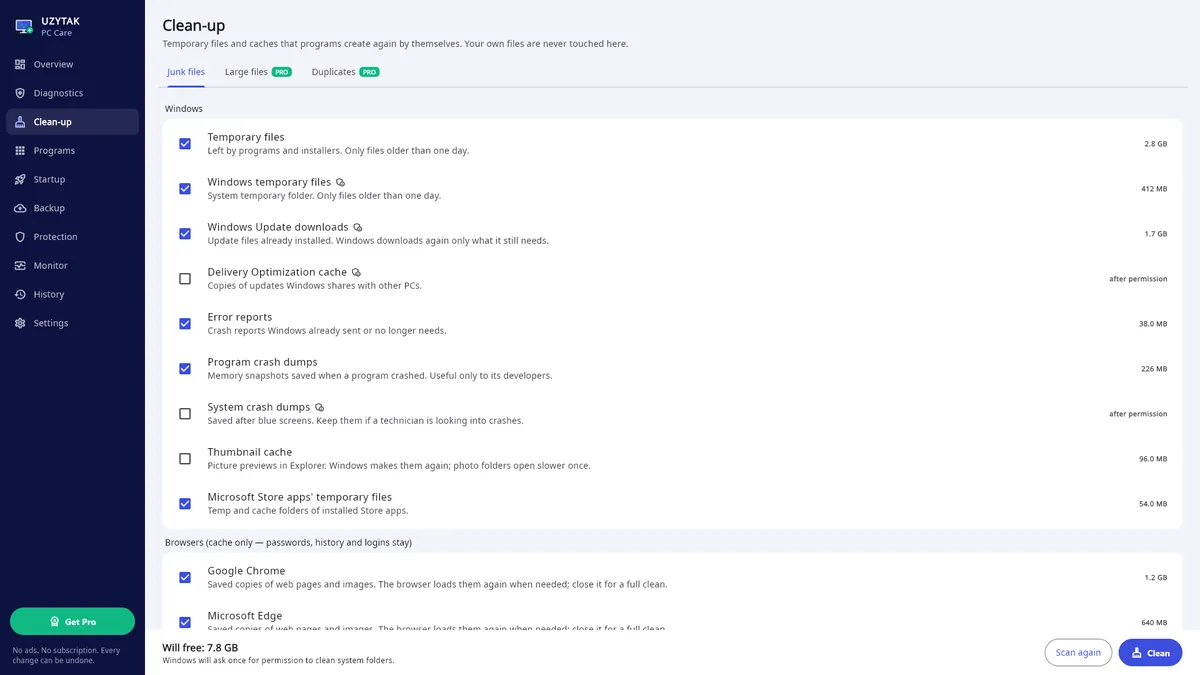
Temporary files, browser and update caches, old installers — every category explained.
Programs
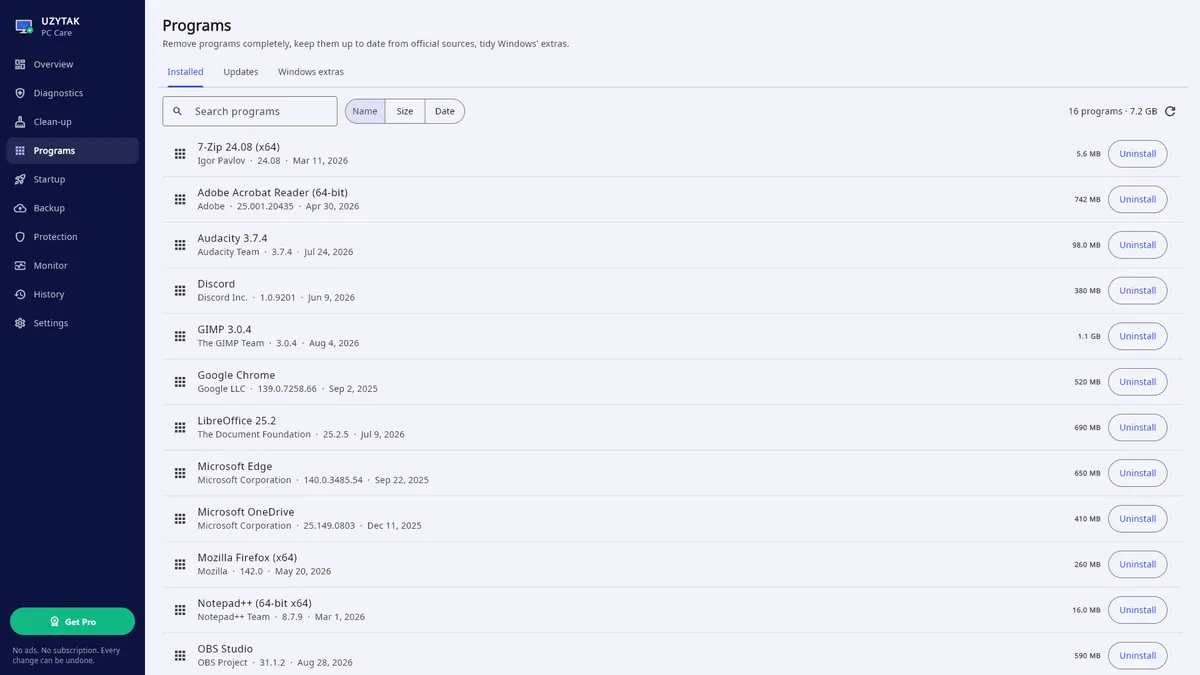
Uninstall completely with a leftovers check, update through winget from the developers' own sites, remove Windows extras.
Startup
Switch programs on and off — the same switch Task Manager uses, always reversible.
Diagnostics
The real reasons a PC gets slow or unstable — disk health and temperature, unexpected shutdowns and blue screens, memory, start-up time history; repair with Windows' own tools (DISM, SFC, drive check) and a quiet weekly maintenance.
Backup
A plain copy of Desktop, Documents, Pictures and more on another drive — opens in Explorer, files deleted on the PC stay in the copy.
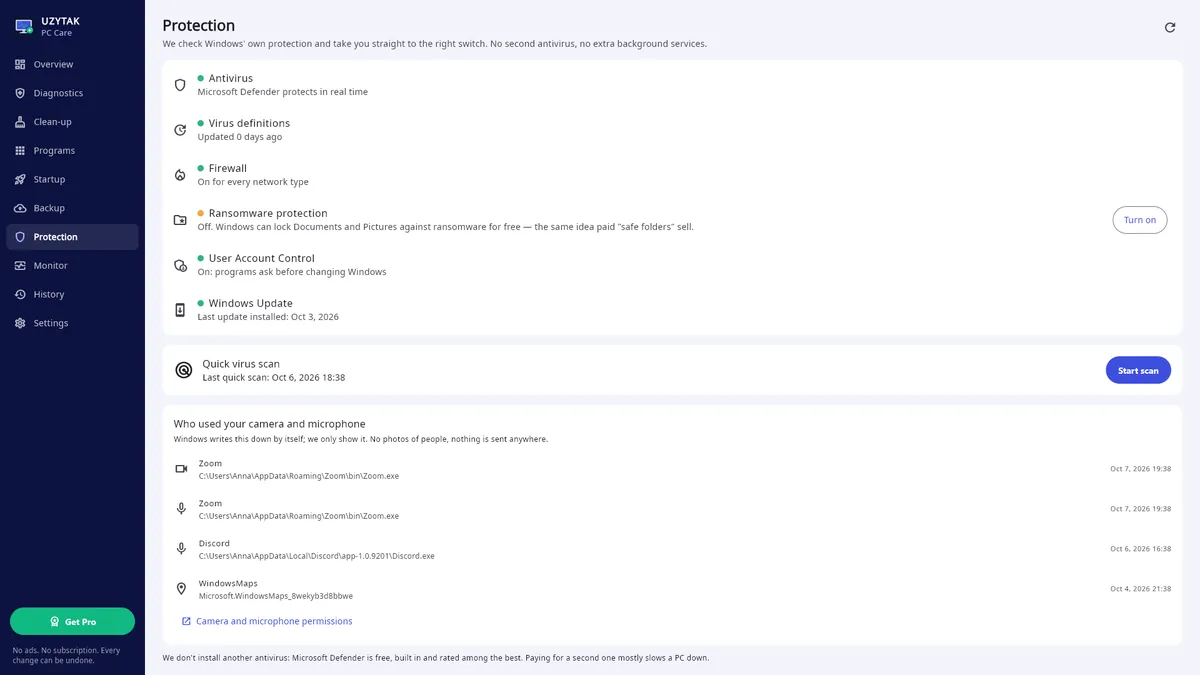
Protection
Checks Microsoft Defender, firewall, Windows Update, User Account Control and ransomware protection; shows who used your camera and microphone.
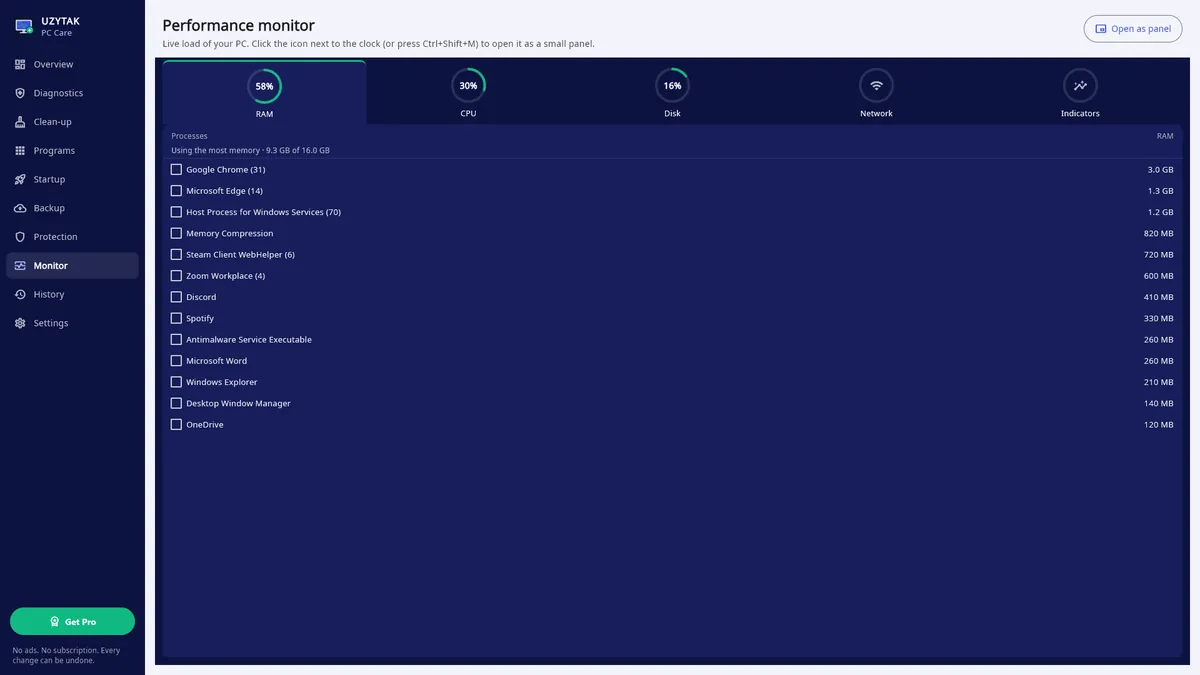
Performance monitor
An icon next to the clock — one click and a panel with RAM, CPU, disk and network slides up.
History
Everything the app changed; startup changes undo with one click.
Inside the app
What we don't do
Many tune-up programs sell things that do not help or even harm. PC Care does only what really helps — and shows everything before it changes anything.
- No registry cleaningMicrosoft does not support registry cleaners (support article KB 2563254): they gain nothing measurable and can break Windows.
- No “RAM booster”Windows manages memory better on its own. Instead, PC Care shows which programs really use the memory.
- No background servicesNo Windows service, nothing hidden. PC Care runs only as the app or its icon next to the clock — and you can switch the icon off in Settings.
- No ads, no trackingNo ads, no analytics, no telemetry, no account. Your PC's data stays on your PC.
- No subscriptionThe app is free; Pro is paid once and stays yours.
How it works
1. Look
Open PC Care: the Overview and the 10 checks show what is fine and what needs attention, in plain words.
2. Choose
Tick what to clean, which programs to remove or update and what may start with Windows. Every category and every check is explained.
3. Undo if needed
The History lists everything the app changed. Startup changes undo with one click; leftovers of removed programs go to the Recycle Bin.
Good to know
- UZYTAK PC Care is a Windows app for Windows 10 and Windows 11. It takes about 31 MB on the disk.
- Repair uses Windows' own tools — DISM, SFC and the drive check. Windows asks for permission once (the usual blue UAC prompt).
- Clean-up removes temporary files and caches that programs create again. Browser clean-up removes only the cache — passwords, history and logins stay. Old installers in your folders are unticked by default and go to the Recycle Bin.
- Updates come through Microsoft's winget from the developers' own sites — not from a mirror of ours.
- Backup is a plain copy on another drive that opens in Explorer. Files you delete on the PC stay in the copy.
- Startup uses the same switch as Task Manager, so you can also undo a change there.
- Performance monitor: click the icon next to the clock or press Ctrl+Shift+M — a small panel slides up.
- 4 colour palettes and 10 languages; the app follows your Windows language.
Free and Pro
| Free | Pro | |
|---|---|---|
| Overview, 10 checks and health score | ✓ | ✓ |
| Repair with Windows' own tools and weekly maintenance | ✓ | ✓ |
| Clean-up: 20 junk categories, every one explained | ✓ | ✓ |
| Complete uninstall with leftovers check, Windows extras | ✓ | ✓ |
| Program updates one by one | ✓ | ✓ |
| Startup, protection check, camera and microphone log | ✓ | ✓ |
| Performance monitor next to the clock | ✓ | ✓ |
| Backup to another drive (by hand), History with undo | ✓ | ✓ |
| Large files | — | ✓ |
| Duplicates | — | ✓ |
| Update all programs with one click | — | ✓ |
| Automatic weekly backup | — | ✓ |
Free
Overview, diagnostics with repair, clean-up of every junk category, complete uninstall, updates one by one, startup, protection, performance monitor, backup by hand and the History — with no ads and no time limit.
Coming to Microsoft StorePro
Large files, duplicates, update all programs with one click, automatic weekly backup.
Coming to Microsoft StorePro is a one-time add-on in the Microsoft Store — no subscription. The Store shows the price in your currency.
Nothing leaves your PC
UZYTAK PC Care works on your PC and collects nothing: no account, no ads, no analytics and no telemetry. Settings and the History stay in the app's folder on your PC. The internet is used only for program updates through Microsoft's winget (from the developers' sites) and by the Microsoft Store for the Pro purchase — we never see your payment details.
Questions or ideas?
Write to us — a small team answers in your language and adds what users ask for.
Questions
Does PC Care clean the registry or “boost” RAM?
No. Microsoft does not support registry cleaners, and Windows manages memory better on its own. PC Care does only what really helps: removes junk, updates programs, shows the real reasons a PC is slow and repairs Windows with its own tools.
What is free and what is Pro?
Free: overview, diagnostics and repair, clean-up, complete uninstall, updates one by one, startup, protection, performance monitor, backup by hand and the History — no ads, no time limit. Pro, a one-time add-on in the Microsoft Store, adds large files, duplicates, updating all programs with one click and an automatic weekly backup.
Is there a subscription?
No. Pro is paid once in the Microsoft Store and stays yours. The Store shows the price in your currency.
Can I undo what the app changed?
Yes. The History lists every change. Startup changes undo with one click, and leftovers of removed programs and old installers go to the Recycle Bin. Caches that clean-up removes are created again by the programs themselves.
Does it run in the background?
There are no background services. PC Care runs as the app or as its icon next to the clock; the quiet weekly maintenance runs only while one of them is open. You can switch the icon and the maintenance off in Settings.
Does it need the internet?
Only for program updates, which come through Microsoft's winget from the developers' sites, and for the Microsoft Store when you install the app or buy Pro. Everything else works offline.
Which Windows versions are supported?
Windows 10 and Windows 11. The app takes about 31 MB.
UZYTAK PC Care · Windows · support@uzytak.com · Privacy Policy