



Windows app · UZYTAK Office
Documents, spreadsheets and presentations — free, offline, on your PC
Free office for text documents, spreadsheets and presentations. Opens and saves files from Microsoft Word, Excel and PowerPoint (.docx, .xlsx, .pptx) and OpenDocument. Works offline, no account, no third-party ads.
- Free
- Works offline
- No account
- No third-party ads
- 11 interface languages
Windows 10 and 11 · no subscription · no data collection
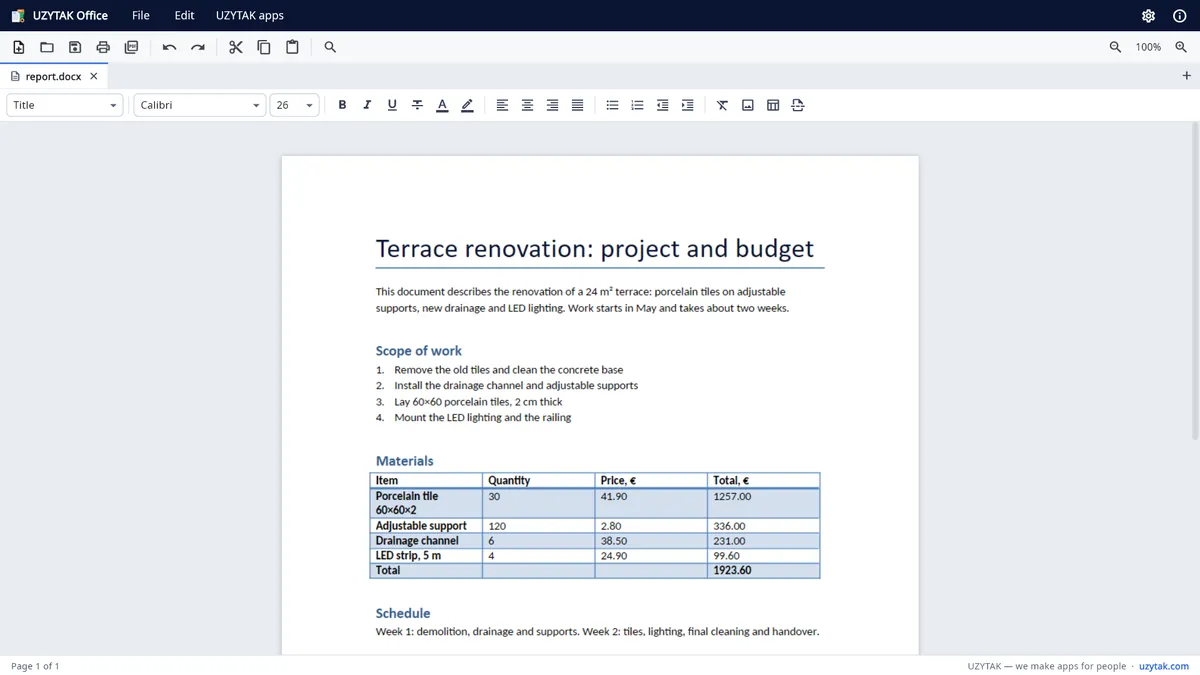
Opens and saves the files you already have
UZYTAK Office is a free office suite for Windows: write letters and reports, calculate in spreadsheets and show presentations — in one window with tabs.
It is compatible with Microsoft Word, Excel and PowerPoint files: open, edit and save .docx, .doc, .xlsx, .xls, .pptx and .ppt, as well as OpenDocument (.odt, .ods, .odp), .rtf and .csv. Any document can be saved as PDF or printed.
Inside the app
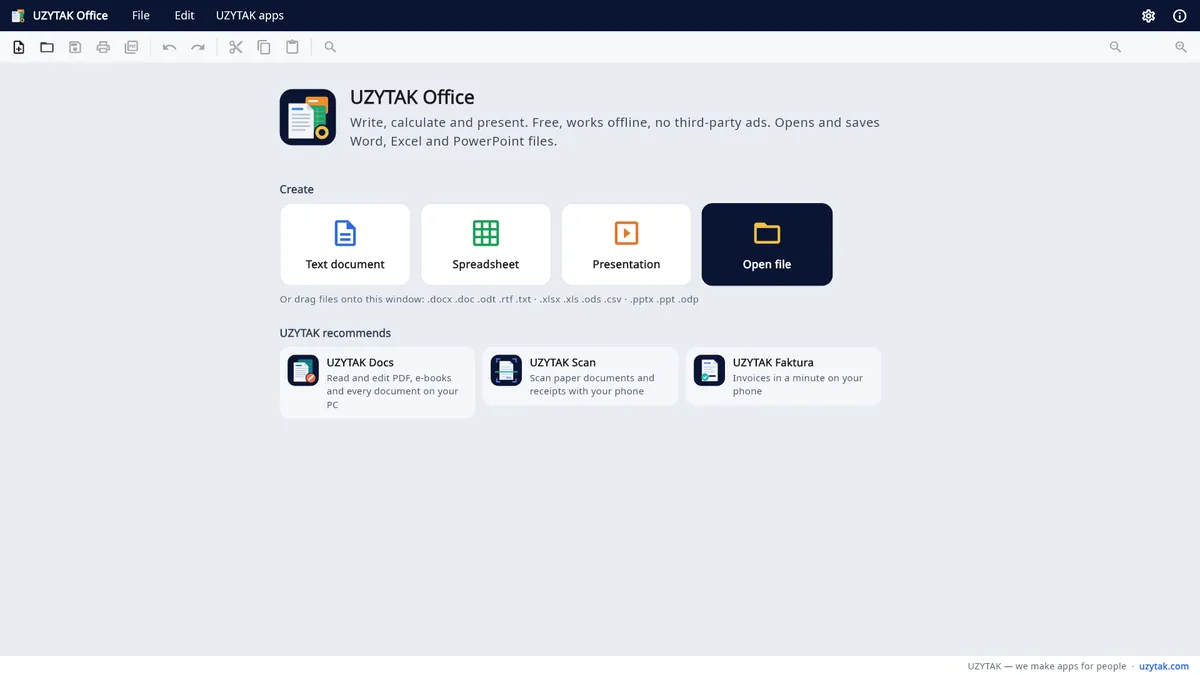
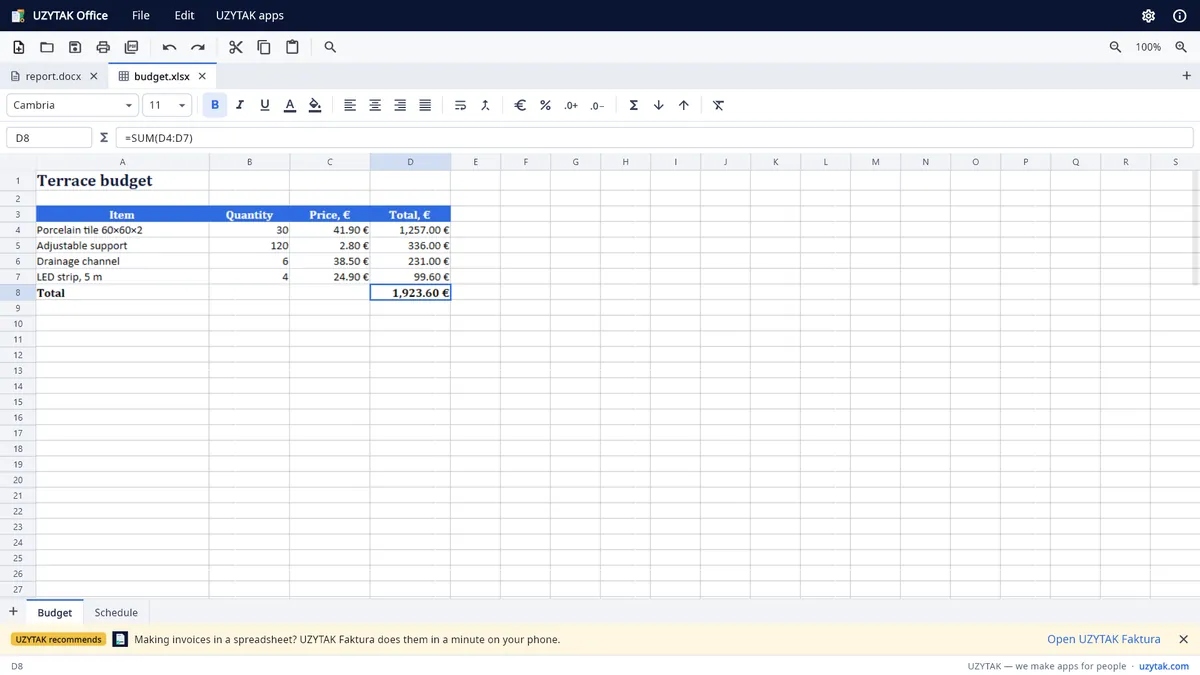
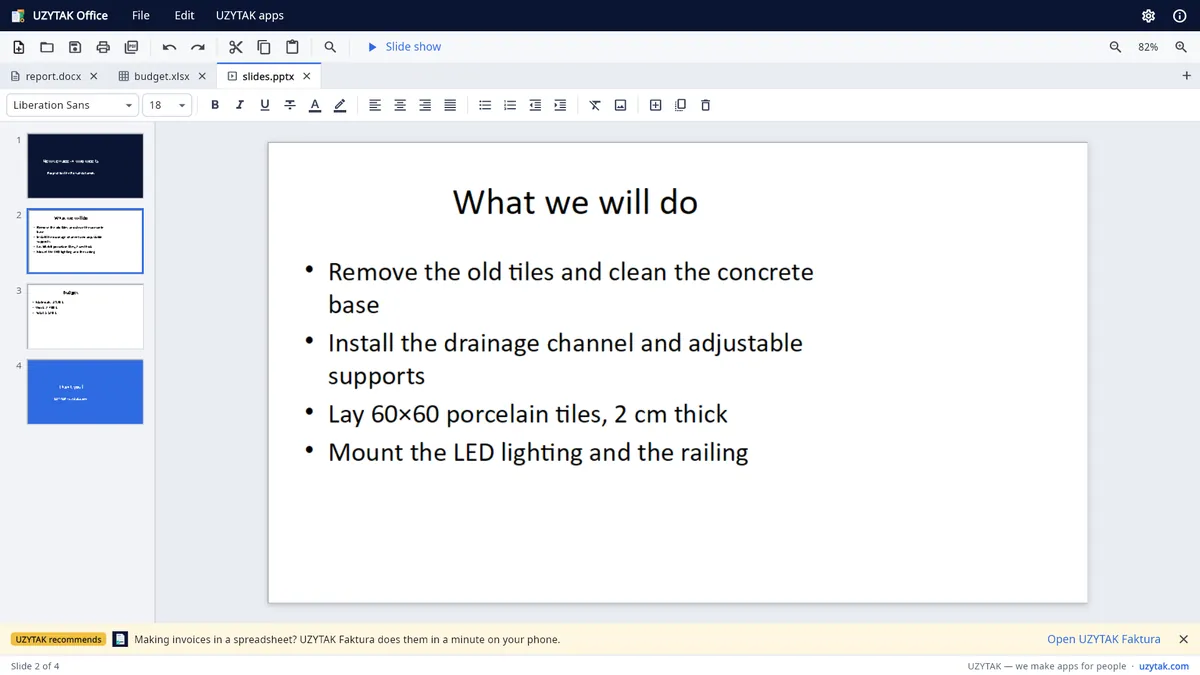

What you can do
Text documents
- Fonts, sizes, colours, highlighting, bold / italic / underline
- Headings and paragraph styles, bulleted and numbered lists, indents
- Tables, pictures, page breaks
- Find and replace, undo and redo, copy and paste with other programs
Spreadsheets
- Formulas (SUM and hundreds of other functions), cell address box and formula line
- Several sheets: add, rename, delete
- Currency and percent formats, decimals, merged cells, wrapped text, sorting
- Insert and delete rows and columns
Presentations
- Slide list with thumbnails, new / duplicate / delete slide
- Full-screen slide show
Safe for your work
- Automatic recovery copies every 2 minutes; after a crash or power cut UZYTAK Office offers to restore your work
- The original file is replaced only after the new version was written completely
- Password-protected documents open after you enter the password
Private
- Everything works offline on your PC. No account, no cloud, no tracking, no data collection.
How it works
1. Open or create
Open a .docx, .xlsx, .pptx or OpenDocument file — or start a new document, spreadsheet or presentation. Every file opens in its own tab.
2. Work as usual
Write and format, calculate with formulas, prepare slides. Recovery copies are saved automatically every 2 minutes.
3. Save, PDF or print
Save in the same format, save as PDF or print through Windows. Nothing goes to a server.
Good to know
- UZYTAK Office is a Windows app for Windows 10 and Windows 11.
- Everything works offline. Files are opened from your PC and saved where you choose — there is no cloud and no sync.
- Word, Excel and PowerPoint files open directly. Very complex layouts can look slightly different — check important documents before you send them.
- The free version shows small, clearly marked recommendations of other UZYTAK apps — never third-party ads. Pro removes them.
- The interface speaks 11 languages, including Belarusian in Łacinka and in Cyrillic.
Free and Pro
Free
- Every feature: documents, spreadsheets, presentations
- Word, Excel, PowerPoint and OpenDocument files, save as PDF, print
- No account, no time limit, no third-party ads
Pro
- Removes the small UZYTAK recommendations
- Supports our small team
- One-time purchase in the Microsoft Store — no subscription
Pro adds no features — everything is already free. The Microsoft Store shows the price in your currency.
Your documents stay on your PC
UZYTAK Office works offline. There is no account, no analytics, no tracking and no data collection. It opens and saves only the files you choose; settings and recovery copies stay on your PC. Purchases go through the Microsoft Store — we never see your payment details.
Questions or ideas?
Write to us — a small team answers in your language and adds what users ask for.
Questions
Is UZYTAK Office really free?
Yes. All features are free, with no time limit and no third-party ads. The app only shows small, clearly marked recommendations of other UZYTAK apps; the one-time Pro purchase (€9.99) removes them.
Can I open files from Word, Excel and PowerPoint?
Yes. It opens, edits and saves .docx, .doc, .xlsx, .xls, .pptx and .ppt, as well as OpenDocument (.odt, .ods, .odp), .rtf and .csv. Any document can be saved as PDF.
Does it need the internet?
No. Everything works offline. The internet is only used by the Microsoft Store when you install the app or buy Pro.
Are my documents uploaded anywhere?
No. There is no account, no cloud and no data collection. Your files stay on your PC.
What happens after a crash or a power cut?
UZYTAK Office saves recovery copies every 2 minutes and offers to restore your work at the next start. The original file is replaced only after the new version has been written completely.
When will it be in the Microsoft Store?
Soon. The Microsoft Store release is being prepared; this page gets a download button as soon as the app is available.
Which Windows versions are supported?
Windows 10 and Windows 11.
UZYTAK Office · Windows · support@uzytak.com · Privacy policy
Microsoft, Word, Excel and PowerPoint are trademarks of the Microsoft group of companies. UZYTAK Office is not affiliated with Microsoft. Open-source components and their licences are listed in the app (About → Licenses).