



Windows app · UZYTAK PDF
Edit, sign, merge and compress PDFs — your files never leave your PC
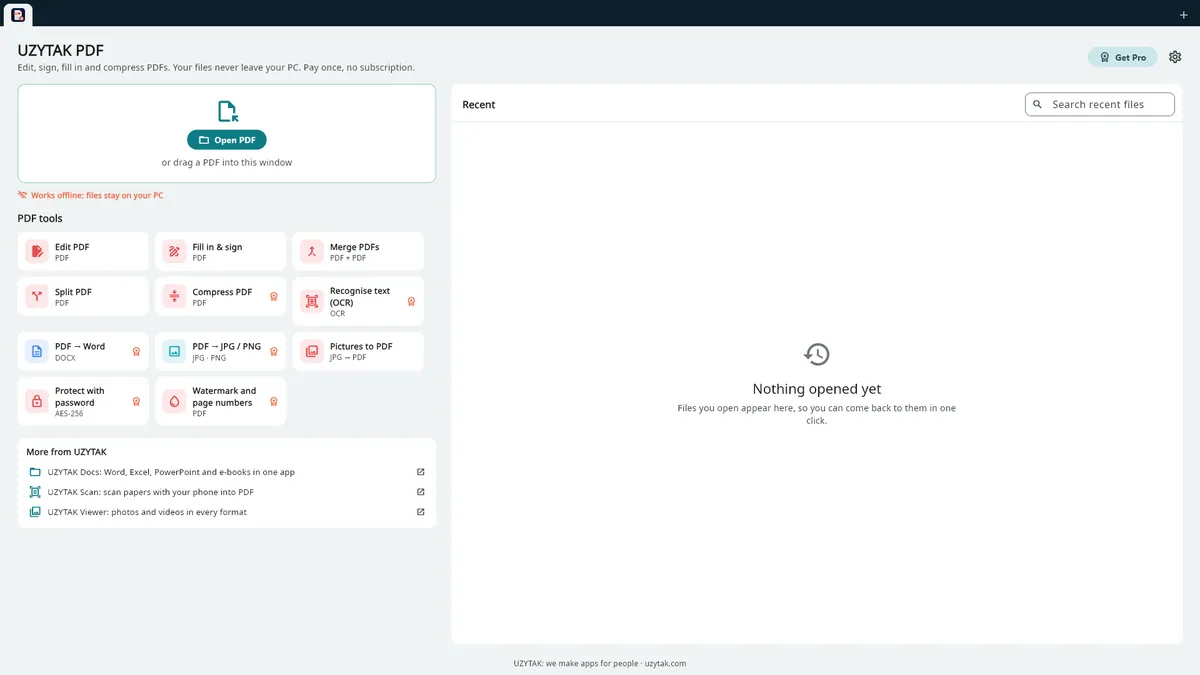
Edit, sign, fill in, merge and compress PDF files on your PC. Works offline: your files never leave your computer. No subscription, no watermarks, no account. Pro is a one-time purchase.
- Files never uploaded
- Works offline
- No subscription
- No ads, no watermarks
- 10 languages
Windows 10 and 11 · no account · no daily limits
Why UZYTAK PDF
Online PDF tools ask you to upload your contracts, invoices and ID scans. UZYTAK PDF does everything on your own computer.
Your files stay on your PC: no uploads, no account
Pay once instead of a subscription: no renewals, no cancellation fees
No ads, no watermarks, no daily limits
In 10 languages
Free, with no daily limits and no watermarks
- Open, search and print PDFs
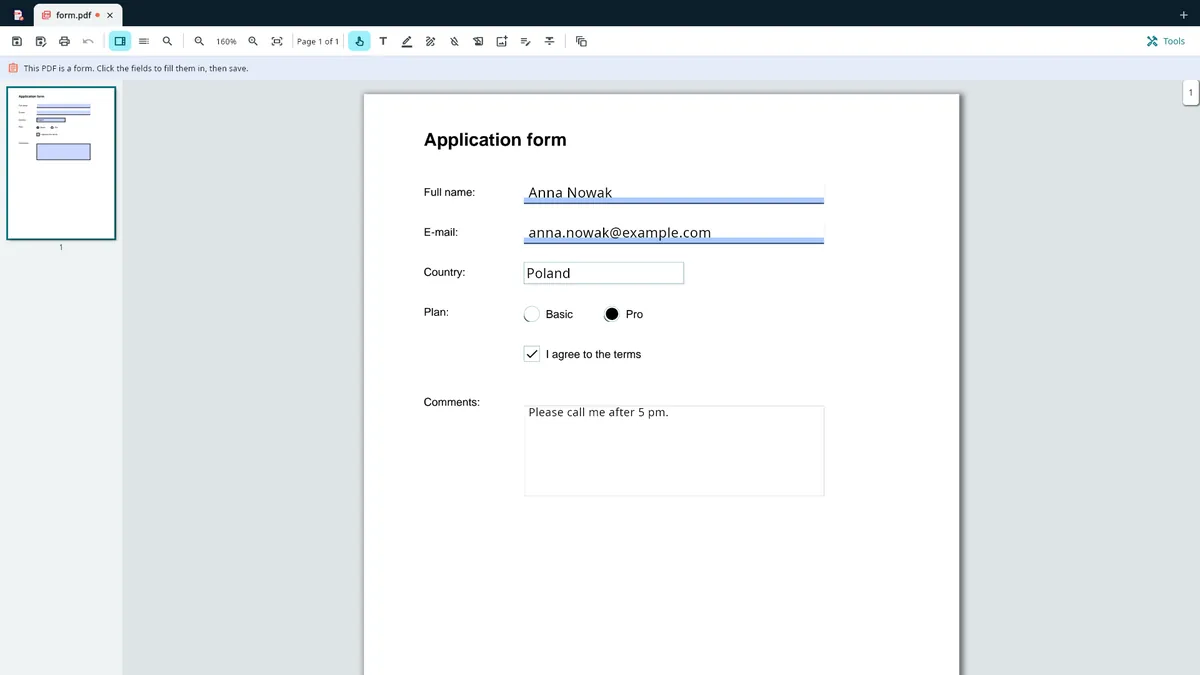
- Fill in forms: text fields, check boxes, radio buttons, lists
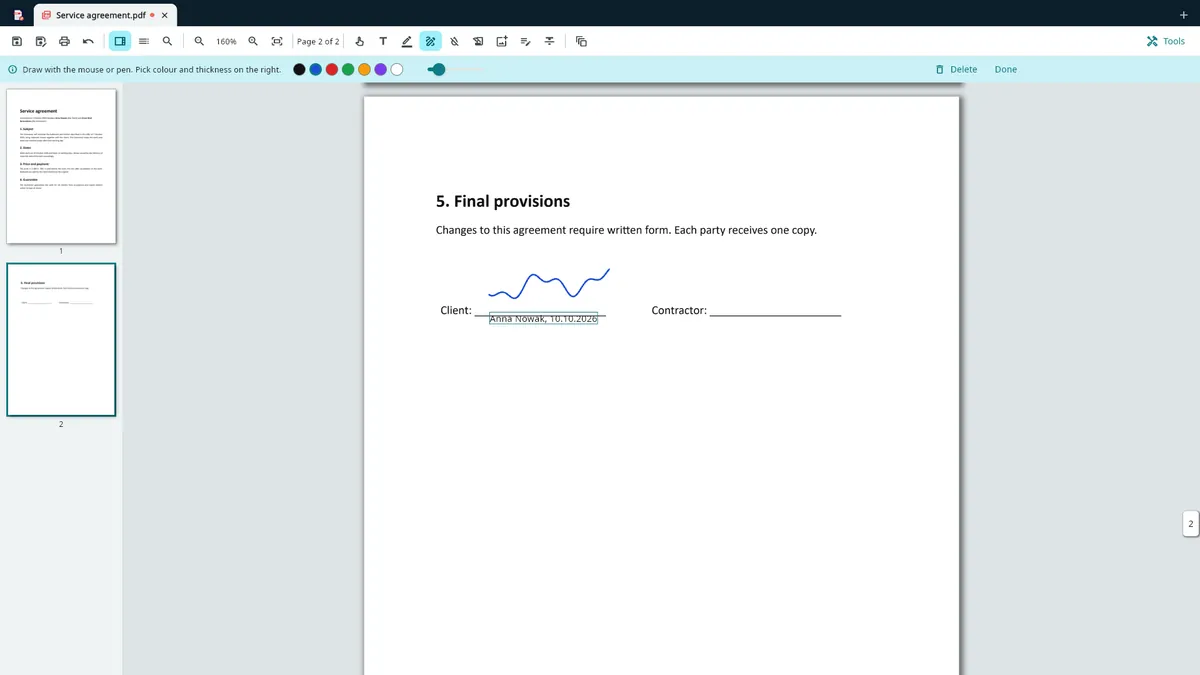
- Sign: draw your signature or add a picture of it
- Type text, highlight, draw, white-out, add pictures
- Merge and split PDFs; rotate, delete, reorder, insert and extract pages
- Photos and scans to one PDF
Pro — pay once, keep it forever
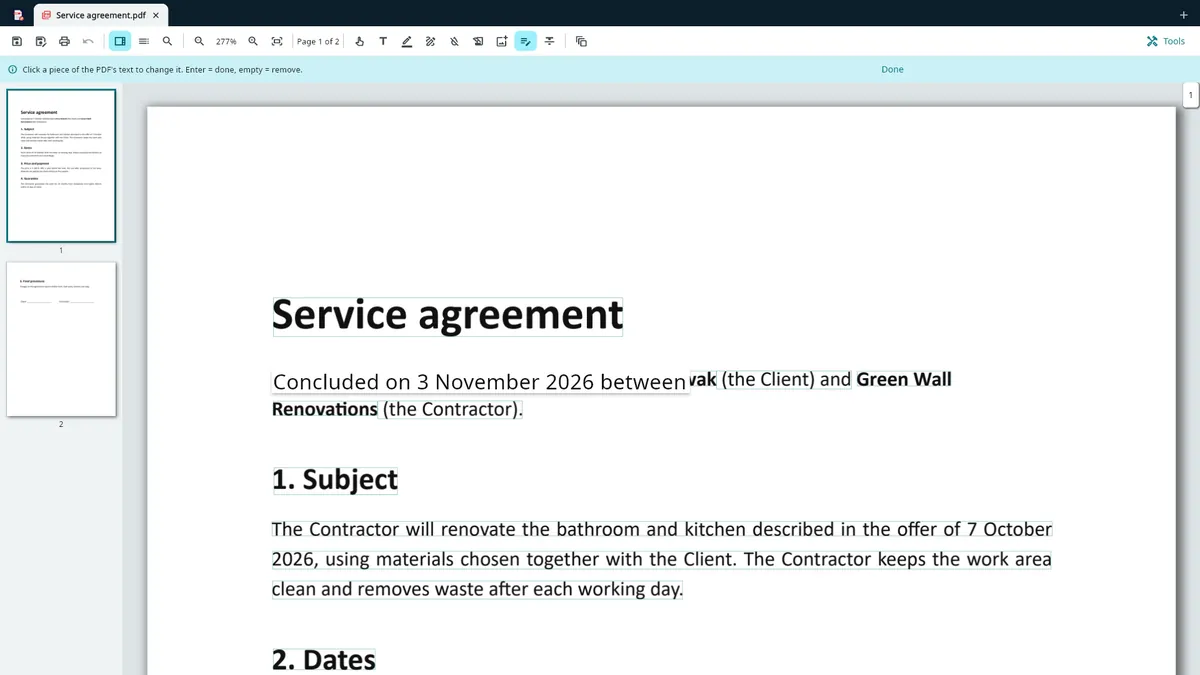
- Edit the PDF's own text
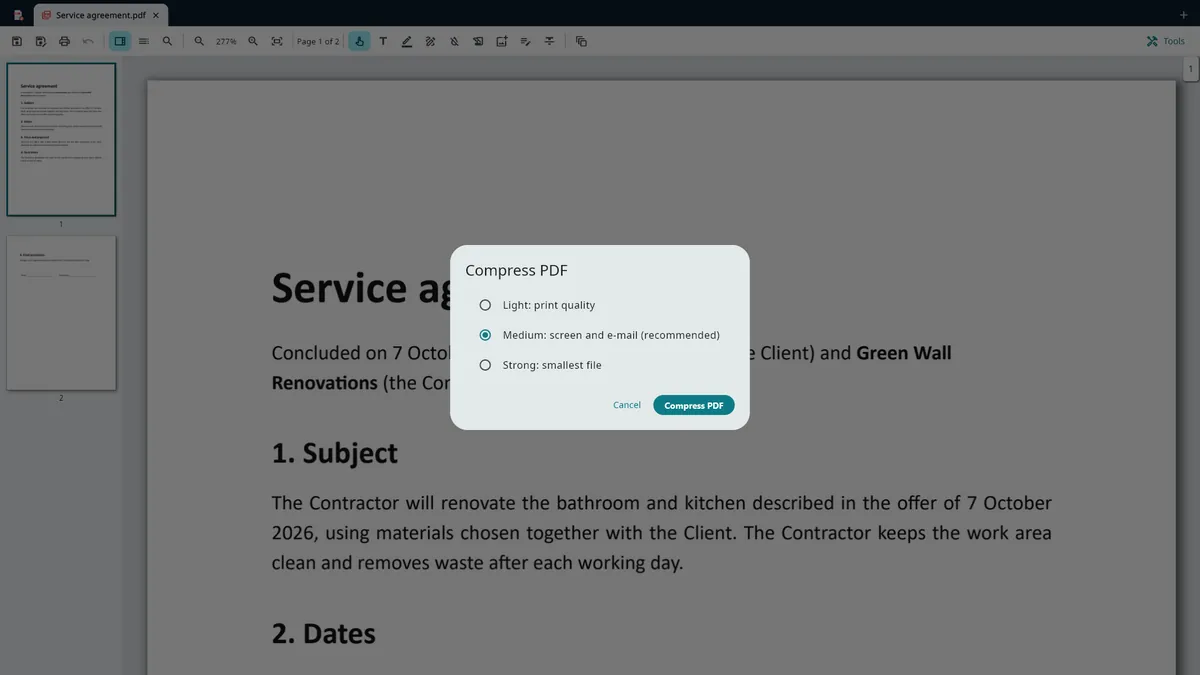
- Compress PDF for e-mail
- Recognise text in scans (OCR): search and copy it
- PDF to Word (DOCX) and to pictures (JPG, PNG)
- Protect with a password (AES-256)
- Watermark and page numbers
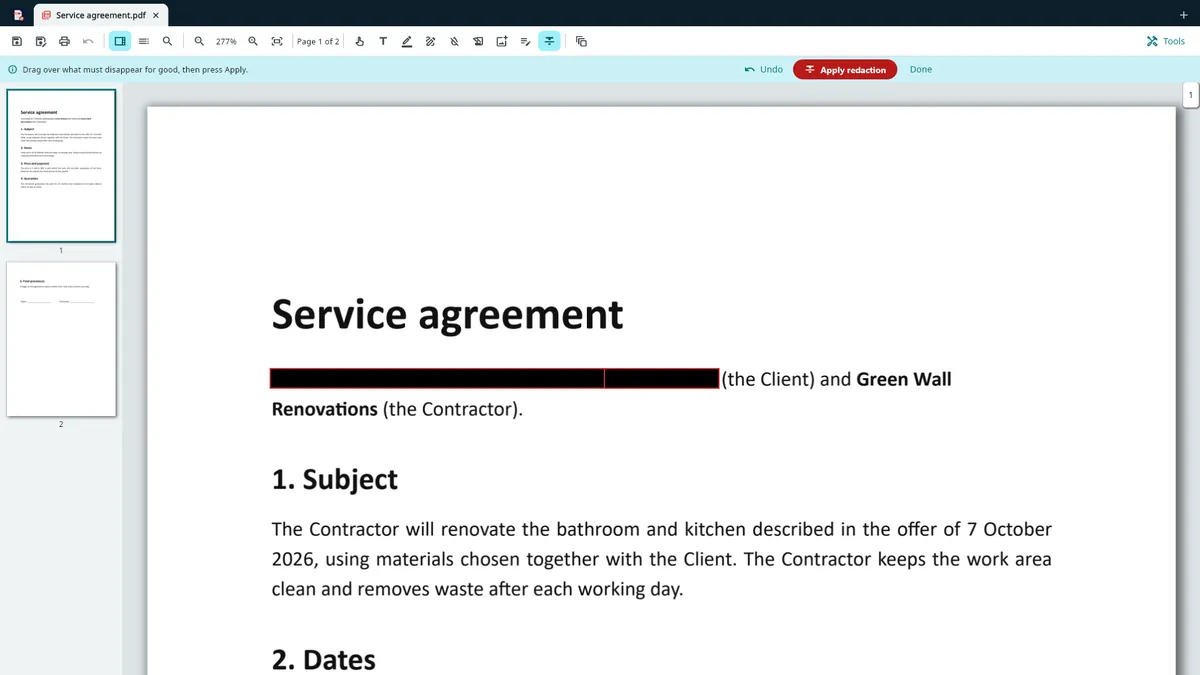
- Redact: really remove text from the file
- Flatten forms
Inside the app
Browser extension for Chrome and EdgeComing soon
The same idea inside your browser: the extension runs in the browser itself and your PDFs are never uploaded. It is not in the extension stores yet.
Free
- Merge PDFs
- Split PDFs
- Organize pages
- Pictures to PDF
Pro
- Sign
- Fill in forms
- Watermark and page numbers
How it works
1. Open a PDF
Click “Open file”, drag a PDF into the window or double-click it. Every file opens in its own tab.
2. Do what you need
Fill in, sign, comment, merge, split, rearrange pages — or, with Pro, edit the text, compress, recognise text in scans or convert.
3. Save and print
Save the PDF where you choose or print it through Windows. Nothing goes to a server.
Good to know
- UZYTAK PDF is a Windows app for Windows 10 and Windows 11. The browser extension is for Chrome and Edge and is coming soon.
- Everything works offline. Files are opened from your PC and saved where you choose — nothing is uploaded, and there is no cloud or sync.
- Text recognition (OCR) uses the offline recognition built into Windows. The languages it reads are the ones installed in Windows.
- Redaction really removes the text from the file, not just covers it — that is a Pro tool.
- Editing the PDF's own text works on existing text in the file. Scans are pictures: recognise them with OCR first.
Free and Pro
| Free | Pro | |
|---|---|---|
| Open, search and print PDFs | ✓ | ✓ |
| Fill in forms: text fields, check boxes, radio buttons, lists | ✓ | ✓ |
| Sign: draw your signature or add a picture of it | ✓ | ✓ |
| Type text, highlight, draw, white-out, add pictures | ✓ | ✓ |
| Merge and split PDFs; rotate, delete, reorder, insert and extract pages | ✓ | ✓ |
| Photos and scans to one PDF | ✓ | ✓ |
| Edit the PDF's own text | — | ✓ |
| Compress PDF for e-mail | — | ✓ |
| Recognise text in scans (OCR): search and copy it | — | ✓ |
| PDF to Word (DOCX) and to pictures (JPG, PNG) | — | ✓ |
| Protect with a password (AES-256) | — | ✓ |
| Watermark and page numbers | — | ✓ |
| Redact: really remove text from the file | — | ✓ |
| Flatten forms | — | ✓ |
Free
- Open, search and print PDFs
- Fill in forms: text fields, check boxes, radio buttons, lists
- Sign: draw your signature or add a picture of it
- Type text, highlight, draw, white-out, add pictures
- Merge and split PDFs; rotate, delete, reorder, insert and extract pages
- Photos and scans to one PDF
Pro
- Edit the PDF's own text
- Compress PDF for e-mail
- Recognise text in scans (OCR): search and copy it
- PDF to Word (DOCX) and to pictures (JPG, PNG)
- Protect with a password (AES-256)
- Watermark and page numbers
- Redact: really remove text from the file
- Flatten forms
Pro is a one-time add-on in the Microsoft Store — no subscription. The Store shows the price in your currency.
Your files stay on your PC
UZYTAK PDF works offline. There is no account, no ads, no analytics and no telemetry. Files are opened only when you open them and are never uploaded; settings, the recent files list and saved signatures stay on your PC. Purchases go through the Microsoft Store — we never see your payment details.
Questions or ideas?
Write to us — a small team answers in your language and adds what users ask for.
Questions
Are my PDFs uploaded anywhere?
No. Files are opened only when you open them, and they stay on your PC. The app has no account, no cloud, no analytics and no telemetry.
Does it need the internet?
No. Everything works offline. The internet is only used by the Microsoft Store when you install the app or buy Pro.
What is free and what is Pro?
Free: open, search and print, comments, signature, forms, merge, split, page tools and pictures to PDF — with no daily limits and no watermarks. Pro, a one-time add-on in the Microsoft Store, adds editing the PDF's own text, compression, OCR, PDF to Word/JPG/PNG, password protection (AES-256), watermark and page numbers, redaction and flattening forms.
Is there a subscription?
No. Pro is paid once and kept. There are no renewals, no ads and no watermarks.
Does text recognition (OCR) send my scans anywhere?
No. It uses the offline recognition built into Windows, on your PC.
Is there a browser extension?
It is coming soon for Chrome and Edge: free merge, split, organize and pictures to PDF; Pro adds signing, filling in forms, watermark and page numbers. It runs in the browser and your PDFs are never uploaded.
Which Windows versions are supported?
Windows 10 and Windows 11.
UZYTAK PDF · Windows · support@uzytak.com · Privacy Policy