


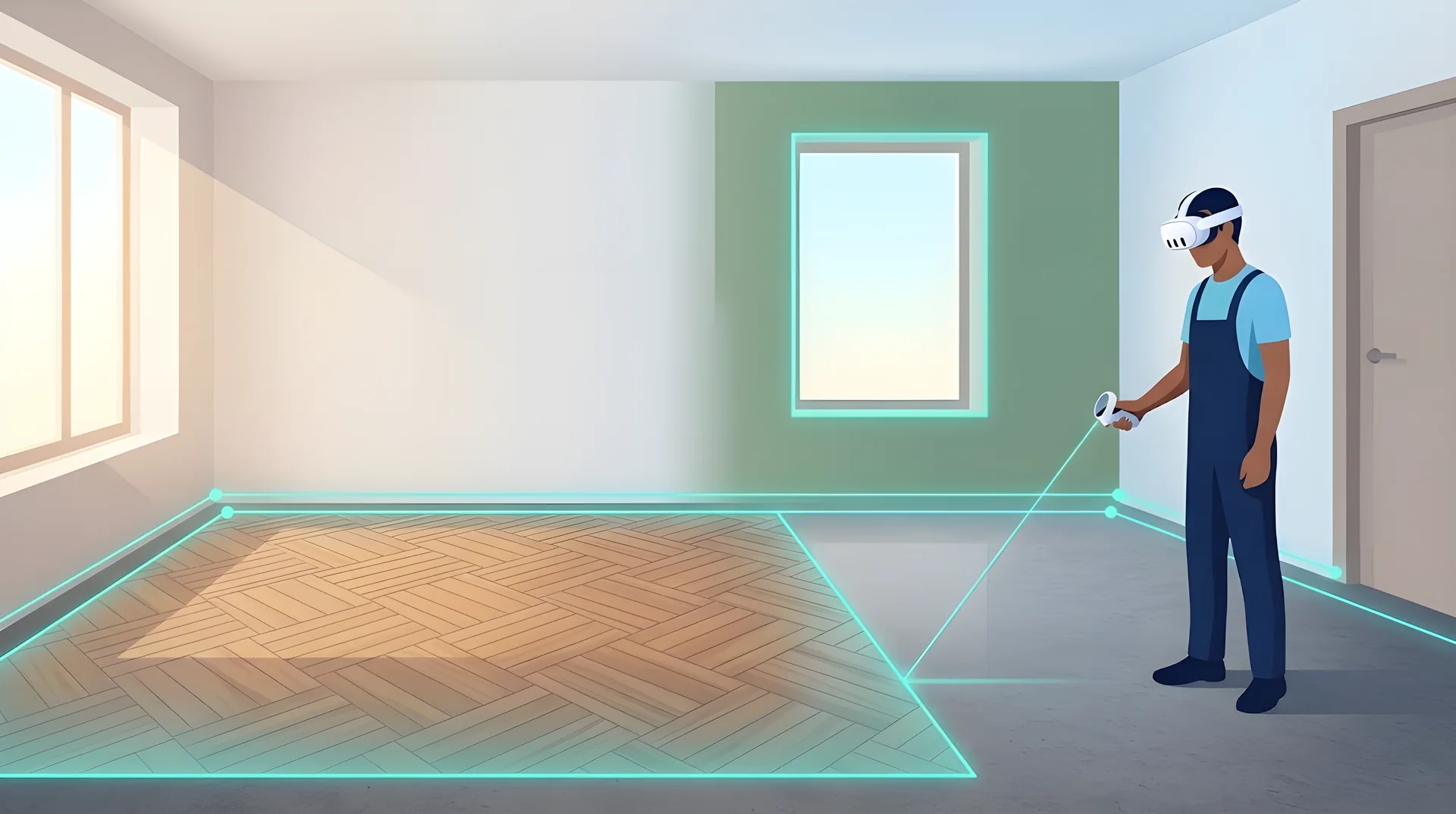
Measure the room, try the finish, get the estimate — in one headset

Mixed reality app · Meta Quest
UZYTAK Room XR
Put on Meta Quest, walk around the room and point at the corners: UZYTAK Room XR draws the plan, counts m² of floor and walls without doors and windows, shows your tiles, laminate or paint on the real surfaces in true size and makes a PDF estimate with materials and your prices.
- Free for one room
- m² without doors and windows
- Tiles counted with cuts
- Unevenness map
- PDF estimate
- 10 languages
Meta Quest 3 and 3S · room data stays on the headset · no account, no ads
What it does
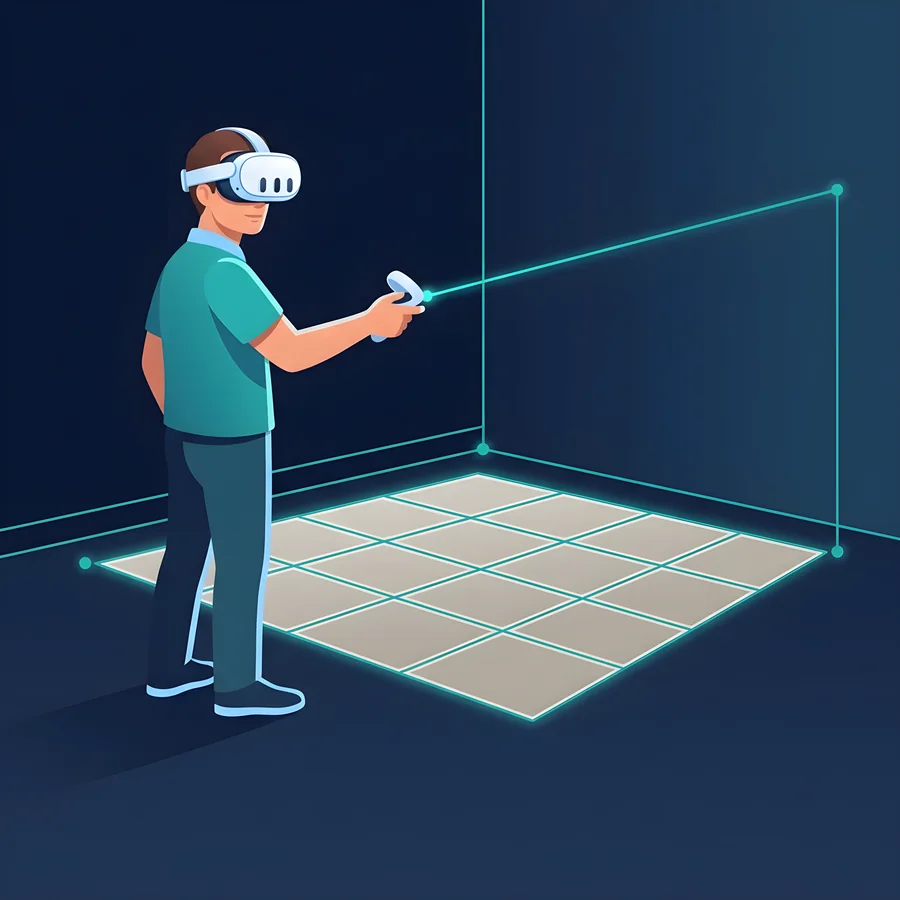
A renovation starts with a tape measure, a notebook and a calculator — and ends with a wrong number of tile boxes. UZYTAK Room XR does the measuring and counting in mixed reality: you see the real room through the headset and the plan, the sizes and the finish right on it.
Take the room from Meta Space Setup in one tap, or mark the corners with the laser — above furniture, at any height. Add doors and windows, choose a finish, and the app counts tiles piece by piece with cuts, boxes, adhesive, grout, primer, paint, skirting and labour. One PDF goes to the client or the shop.
Who it is for
Tilers
Exact number of tiles with cuts, adhesive by trowel notch, grout, and the unevenness map of the floor before you start.
Renovation firms and site managers
Measure, show and price a room in one visit. The PDF estimate with your prices is ready before you leave.
Painters
Wall m² without doors and windows, litres and cans for the number of coats — and the colour on the real wall.
Interior designers
Show the client tiles, parquet and colours in true size, variants A/B/C, plan export to DXF and SVG.
Homeowners
Before buying materials: see how the floor and walls will look and how much you really need.
How it works
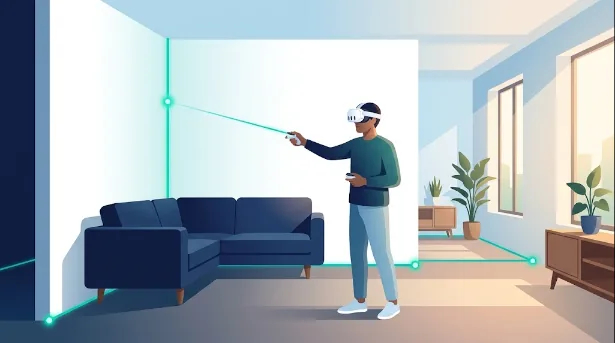
Mark the corners
Point the laser at each corner of the room — above the sofa is fine. Or take the room from Space Setup.
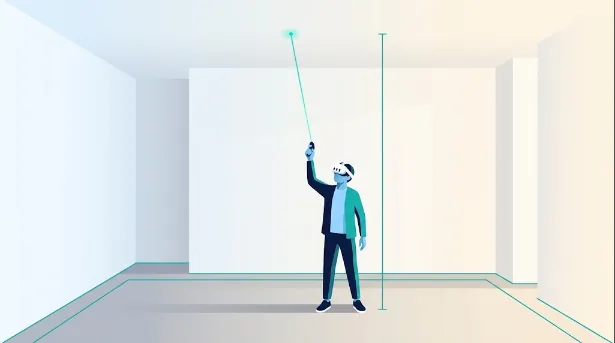
Height
Point at the ceiling: the height is set. Floor, walls and volume are counted at once.
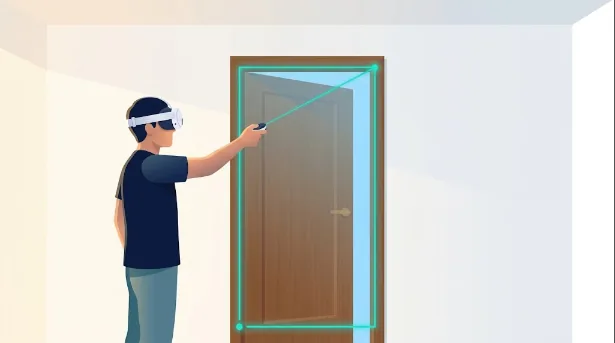
Doors and windows
Point at two opposite corners of each opening — they are taken off the wall area.
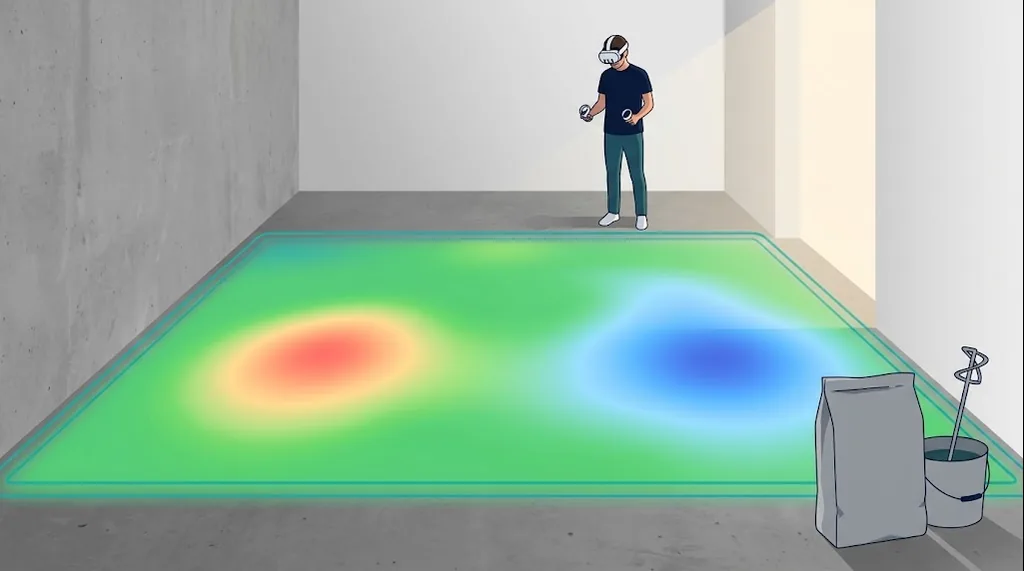
Unevenness
Look at the floor or a wall: a colour map shows bumps and hollows, the app counts levelling compound in bags.
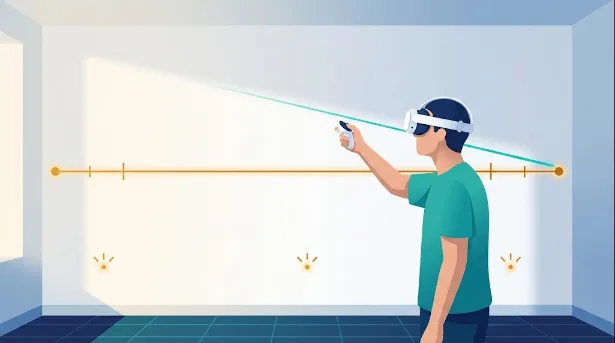
Tape and marks
Measure any distance with the laser, mark sockets and pipes with their height for the electrician.
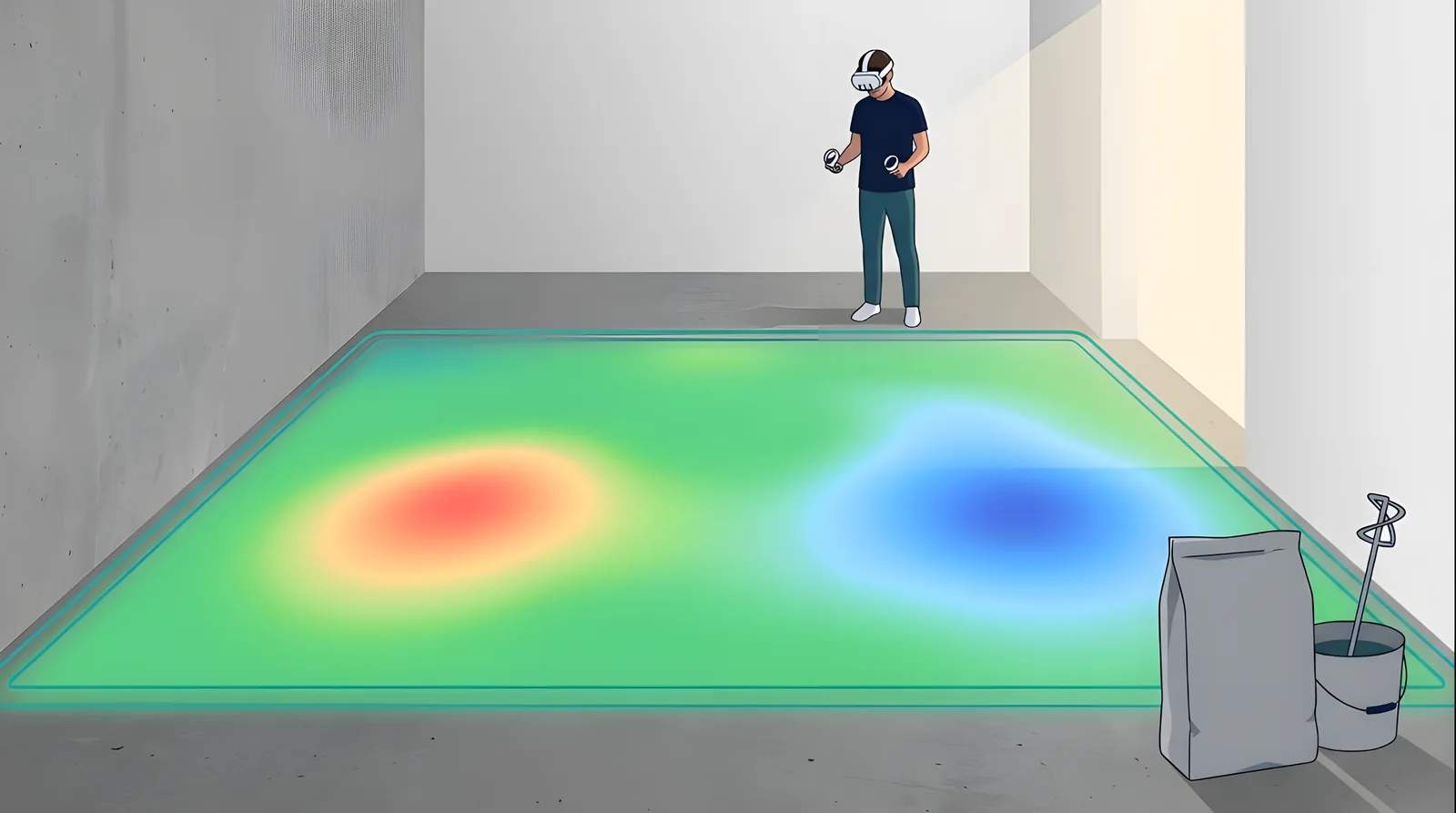
Unevenness of the floor and walls — before the tiles go down
Look at the floor for a minute: the headset depth sensor builds a colour map — green within tolerance, yellow and red for bumps, blue for hollows. The app shows the difference between the highest and lowest point and counts self-levelling compound or plaster in kilograms and bags. It is an estimate: the sensor shows deviations from about 10 mm; check critical places with a 2 m straightedge.
Features
Plan and m²
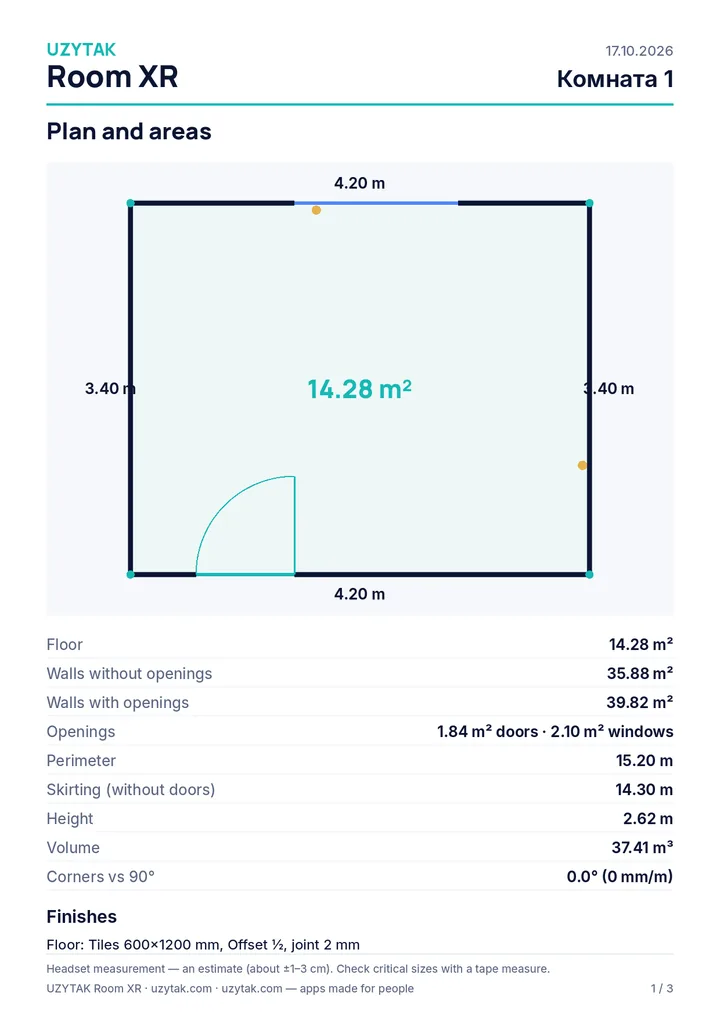
Floor, walls with and without openings, ceiling, perimeter, skirting without doors, volume, every wall separately.
Corners against 90°
Shows how far each corner is from a right angle, so tile and floor rows do not run into a wedge.
Tiles in true size
Size, joint, layout straight, ½ or ⅓ offset, diagonal, herringbone, start point and turn — on the real floor and walls.
Laminate and parquet
Plank size, row offset, diagonal or herringbone, packs and underlay.
Paint
16 colours on the real walls, coats, coverage, cans and primer.
Tiles counted with cuts
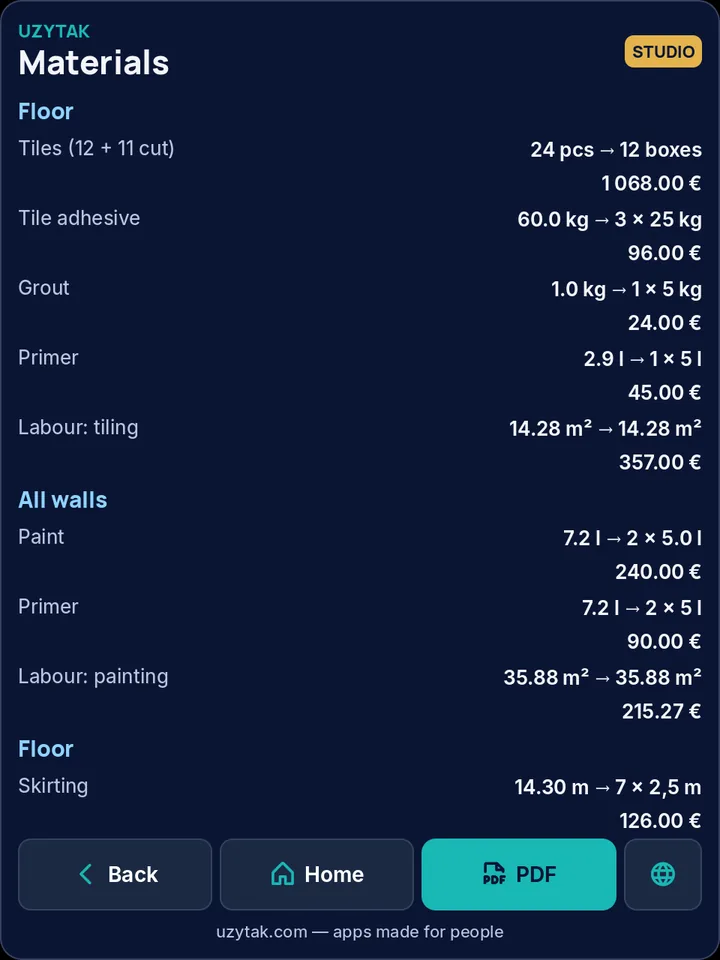
Pieces are laid out on your room: full tiles, cut tiles, small cuts paired from one tile, reserve, boxes.
Unevenness map
Pro: the depth sensor shows bumps and hollows of the floor or a wall in colour and counts self-levelling compound or plaster in kg and bags.
PDF estimate
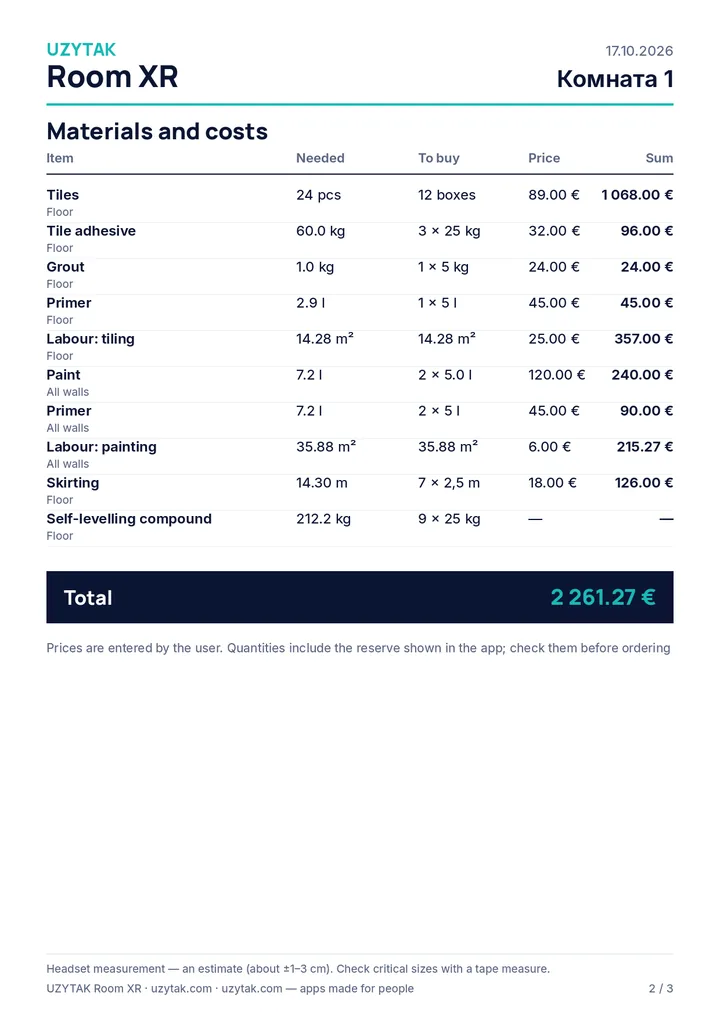
Pro: plan with sizes, areas, materials, your prices and labour, total. Studio: your company logo.
Files to phone and PC
PDF, DXF, SVG and CSV go to your phone or computer over your own Wi-Fi — nothing goes to the internet.
Free, Pro and Studio
Free
- 1 room
- Space Setup or laser corners, height, doors and windows
- Floor, walls, perimeter, skirting, corners against 90°
- Tiles, laminate and paint on the real surfaces
- Material list with cuts and boxes
- PDF with the plan and areas
- 10 languages
Pro
Launch price −30 % until 01.01.2027, then €59 per year · or €7.99 per month
- Everything in Free
- Any number of rooms
- PDF estimate with your prices and labour
- Unevenness map + levelling compound and plaster
- Sockets, switches and pipes with heights
- Laser tape list
- Tile from a photo
- Plan export DXF, SVG, CSV
Studio
Launch price −30 % until 01.01.2027, then €249 per year
3 headsets · +€49 per year for each extra headset
- Everything in Pro, on 3 headsets
- Presentation for the client
- Finish variants A/B/C
- Your company logo in the PDF
- Client folders soon
Discount codes from our partners: −10 %.
Prices in euros. Pro and Studio will be sold as in-app subscriptions in the Meta Horizon Store — that is the only way to pay. Features marked “soon” are in development.
Safety first
The app shows these rules when it starts. Please read them.
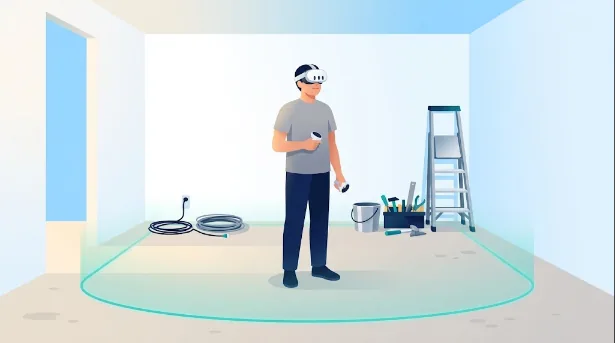
- Clear the floor: you will walk around the room with the headset on. Keep the Guardian boundary on.
- Look where you step — cables, tools, buckets, open floor openings.
- Do not climb ladders or scaffolding with the headset; measure the ceiling with the laser from the floor.
- Measurements are an estimate (about ±1–3 cm). Check critical sizes with a tape measure.
- Take a break every 30–40 minutes.
Your rooms stay on the headset
UZYTAK Room XR collects no data: no account, no analytics, no tracking. Room plans, finishes, prices and files are stored only on the headset. Sending files to your phone works only inside your own Wi-Fi network; nothing is sent to our servers. Purchases go through the Meta Horizon Store — we never see your payment details.
Questions
Which headsets does it work on?
Meta Quest 3 and Quest 3S. The laser and the unevenness map use the depth sensor of Quest 3/3S. Versions for Pico and Android XR headsets are planned.
How accurate is it?
About ±1–3 cm for room sizes — enough for areas, materials and the estimate. For a kitchen, built-in furniture or cutting stone, check the critical sizes with a tape measure. The app shows how far each corner is from 90°.
Do I have to run Space Setup?
No. Space Setup is the fastest way, but you can also mark the corners with the laser yourself — often more exact, and it works above furniture.
How are the tiles counted?
The app lays the real tile size with the joint and the layout over your room and counts full tiles and cuts; small cuts are paired from one tile. Then it adds your reserve and rounds up to boxes.
How exact is the unevenness map?
It is an estimate by the headset depth sensor: deviations from about 10 mm are visible. It is enough to see where the floor needs levelling and how many bags to buy. Check before levelling with a 2 m straightedge.
Do I need the internet?
No. Everything works offline on the headset. Wi-Fi is only used to send files to your phone or PC inside your own network.
Where is my data?
Only on the headset. No account, no analytics, no ads.
When can I buy it?
UZYTAK Room XR is being prepared for the Meta Horizon Store. This page gets a store button as soon as the app is available.
Questions or ideas?
Write to us — a small team answers in your language and adds what tilers and renovators ask for.
UZYTAK Room XR · Meta Quest · support@uzytak.com · Instructions, description and prices · Privacy policy