



A friendly task manager for Windows
Why is my PC slow? Now it tells you, in plain words.
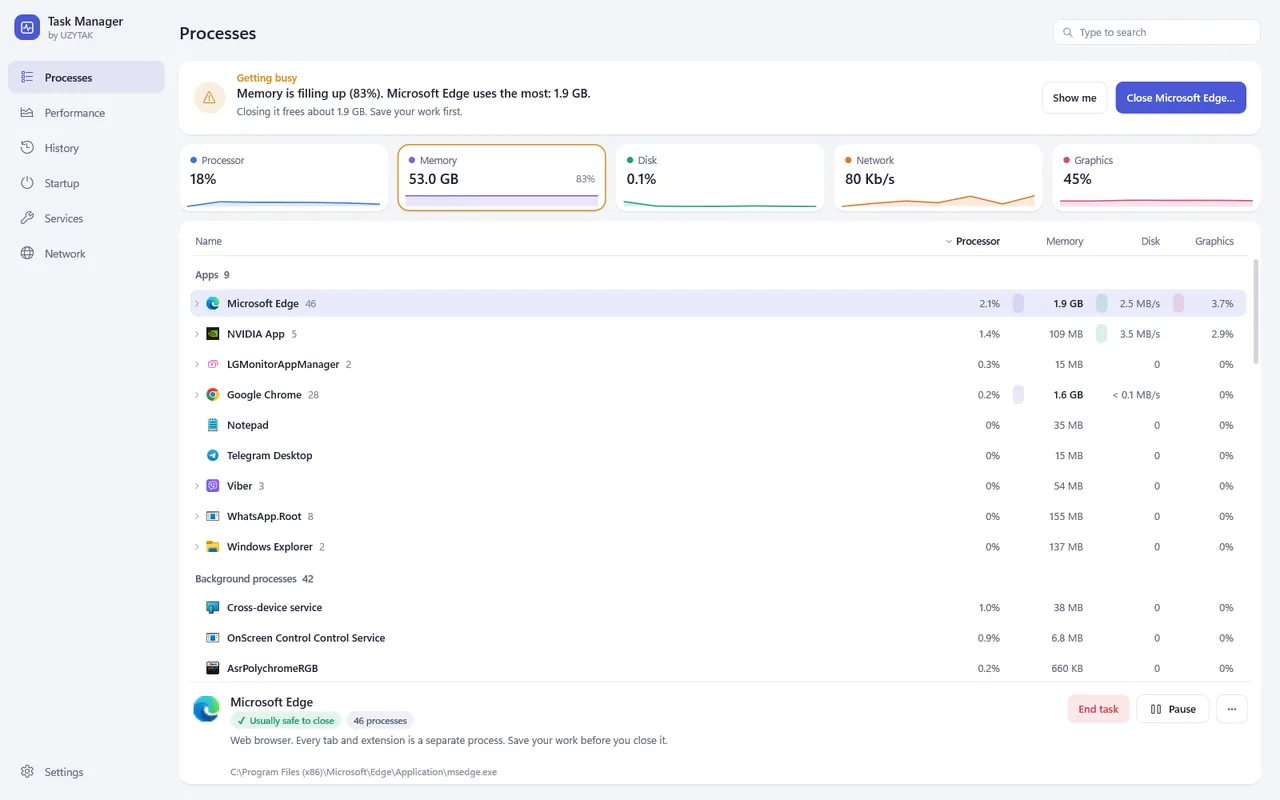
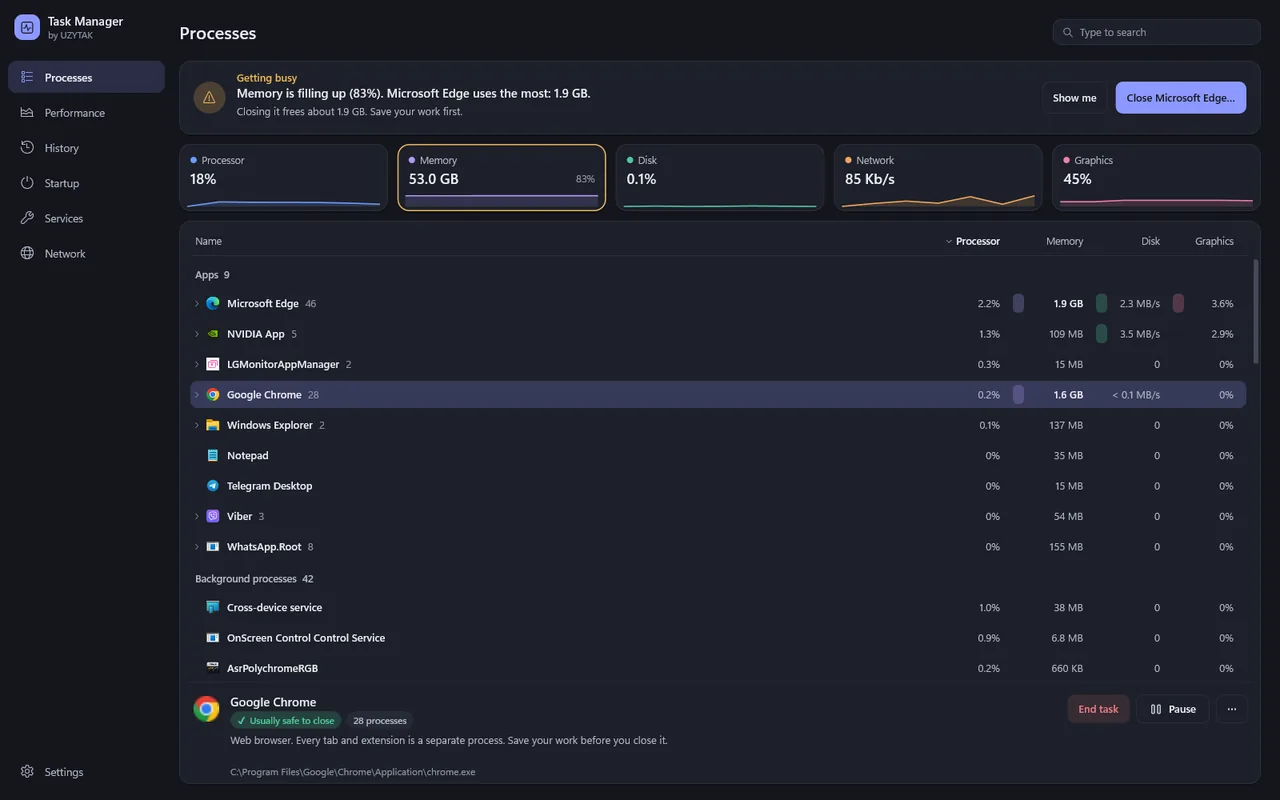
Task Manager by UZYTAK answers in one line what is slowing your PC right now and gives you one button to close it. Every process has a plain name, a short explanation and a label: usually safe to close, close with care, or part of Windows.
- About 1 MB, starts instantly
- No ads, no account
- No telemetry, works offline
- Pay once, no subscription
Get it for Windows
A Windows program for Windows 10 and 11 (64-bit), coming to the Microsoft Store. Try it free first, then pay once if you keep it.
Free trial, then pay once
Install it from the Microsoft Store and try everything first. If you keep it, you pay once and keep it. No subscription, no account, no ads.
- Free trial in the Microsoft Store
- One payment, no subscription
- Updates through the Microsoft Store
- Windows 10 and 11, 64-bit
Want to know the day it is out? Write to us
How it works
Read one line
The first line of the Processes screen says what is wrong right now, for example: memory is almost full and one program uses the most.
Understand the program
Click any row. A panel shows a plain name, one line about what it does and a label: usually safe to close, close with care, or part of Windows.
Close or pause it
End the program together with everything it started, or pause it and resume later. A reminder to save your work comes first.
What it does
A plain answer
One line says why the PC is slow right now, with one button to close the biggest culprit.
Every process explained
Clear names instead of file names, one line about what it does and a safe-to-close label.
Pause and resume
Pause a program without closing it. Your unsaved work stays, and you resume it later.
End with everything it started
Closing a program also closes the helper processes it started, after a confirmation.
24-hour history
See what loaded the PC at 14:32 while you were away, with the programs that caused it.
Next to the clock
A small live graph in the tray, a quick panel on click and a notification when memory is almost full.
Startup programs
See what starts with Windows and how heavy each program is right now, and turn it off.
Services and internet
Start, stop and restart Windows services, and see which programs are connected to the internet.
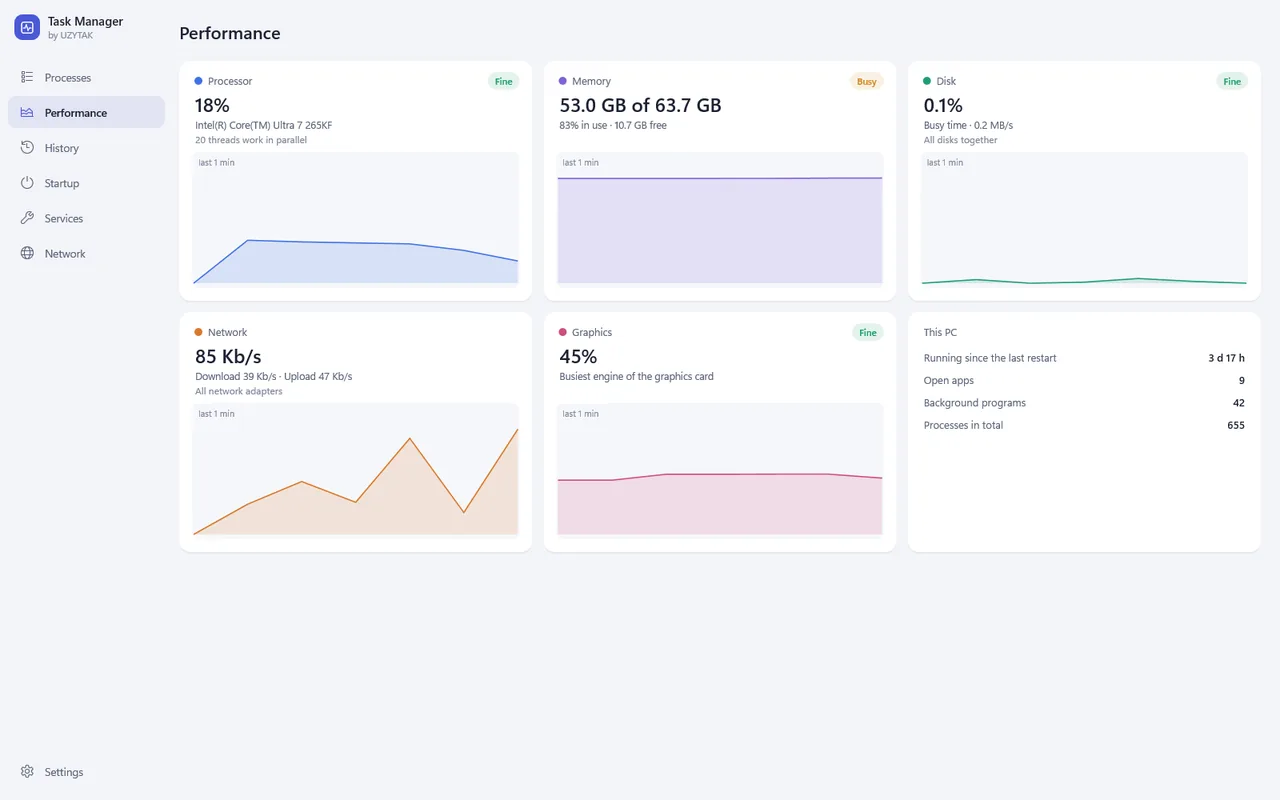
Inside the app
Honest by design
This app shows what uses your PC's resources and lets you close it. It does not boost or clean anything, and it makes no promises about speed. It runs next to the built-in Task Manager and does not take over Ctrl+Shift+Esc.
Good to know
The app speaks 10 languages: English, Deutsch, Español, Français, Italiano, Nederlands, Polski, Svenska, Русский and Українська. Need another language? Write to support@uzytak.com.
- Windows 10 and 11, 64-bit. One small program of about 1 MB that starts in a fraction of a second.
- It runs without administrator rights. Windows asks once, with its own prompt, only for services and for "Show all".
- Everything stays on your PC. There is no account and no telemetry.
- It is a tool for ordinary users. Experts who need handles, dumps or debugging are better served by free expert tools.
Your PC stays private
No account, no ads, no telemetry. The app works offline and keeps its settings and 24-hour history only on your PC. A process name is sent to a web search only when you click "Search the web".
Privacy policy →A question or another language?
Write to us. We answer in your language and add app languages on request.
Write to usQuestions
Is it safe to use?
Yes. It only shows what is running and acts when you click. Before it closes a program it asks you to confirm and reminds you to save your work. Parts of Windows are labelled so you do not close them by mistake.
What does "pause" do?
Pause freezes a program in place without closing it. It stops using the processor, and your unsaved work stays in memory. When you click Resume, the program continues where it was.
Why does it sometimes ask for administrator rights?
Only for two things: managing Windows services and the "Show all" button, which shows programs of other users. Windows shows its own prompt each time. The app never elevates by itself.
Does it send data anywhere?
No. It works offline, collects nothing and has no telemetry. A process name goes to the Bing web search only when you click "Search the web" yourself.
Does it replace the built-in Task Manager?
No. It runs next to it. It does not take over Ctrl+Shift+Esc or change anything in Windows.
How is it different from free tools?
Free expert tools show a lot of detail and explain little. This app is made for ordinary people: plain words, a label on every process, one answer to why the PC is slow, and updates through the Microsoft Store.
When can I download it?
It is being prepared for the Microsoft Store. The button on this page changes to Download on the day it is out.