


Guide · Warranty Tracker by UZYTAK
Warranty tracker app for installers and renovators: dates, reminders, warranty card
Search for a "warranty tracker app" and most results are built for one thing: a shopper keeping a receipt for a toaster. This app is built for the other side: installers of heat pumps, boilers, PV, air conditioning, windows and roofs, and renovators who gave their clients a warranty and want to keep track of it. It is not meant for storing your private shopping receipts, and we say so up front.
A forgotten service visit is a lost repeat job. A missed warranty date is an argument you do not want. This page shows how to keep both on your phone.
No legal advice. The app does not check the rules; check the warranty and statutory periods in your own country and contract.
Why a notebook or spreadsheet is not enough
- Dates sit in different places: contract, invoice, manufacturer paper.
- Nobody reminds you that the yearly service is due next month.
- When the client calls, you search for serial numbers.
What you enter → what you get
Example: a heat pump installed on 15 March 2026, 5-year manufacturer warranty, yearly service.
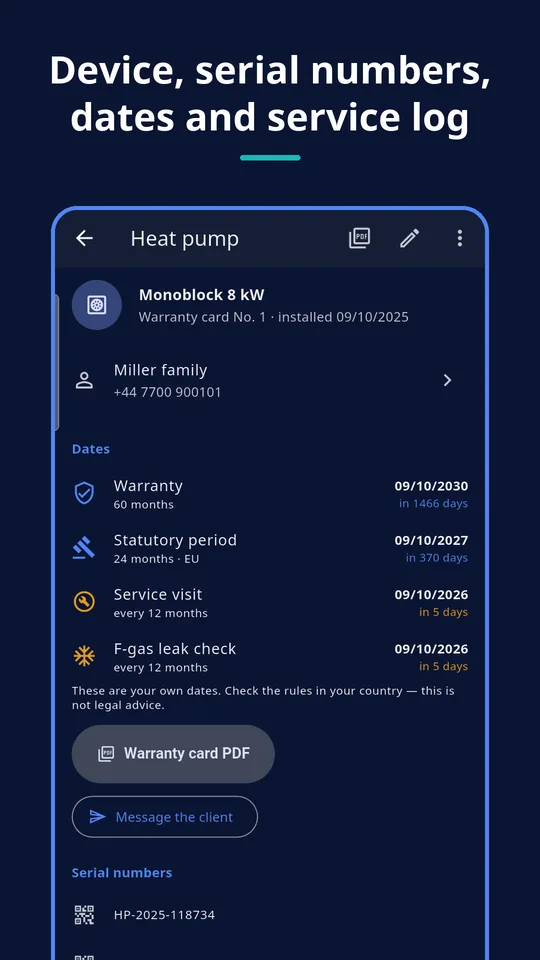
- Add the installation: device, make and model, serial numbers, install date, client.
- Enter the dates: warranty end (here 15 March 2031), end of the statutory period, yearly service, and an F-gas check where relevant.
- Turn reminders on and choose how many days before. Android shows a notification on your phone.
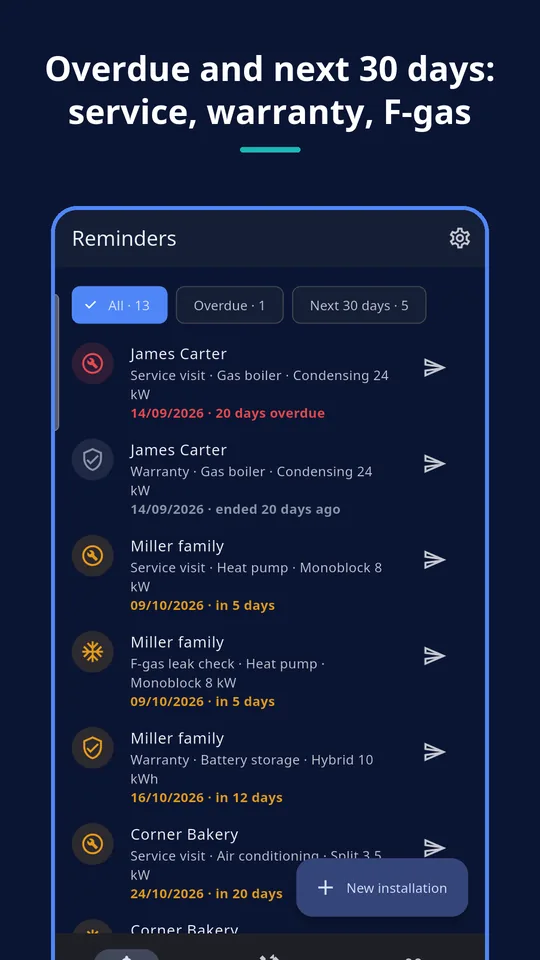
- The reminders list shows overdue items and the next 30 days, sorted by date.
- Call the client: call, SMS, WhatsApp or e-mail open your phone's own apps in one tap. The app never sends anything by itself.
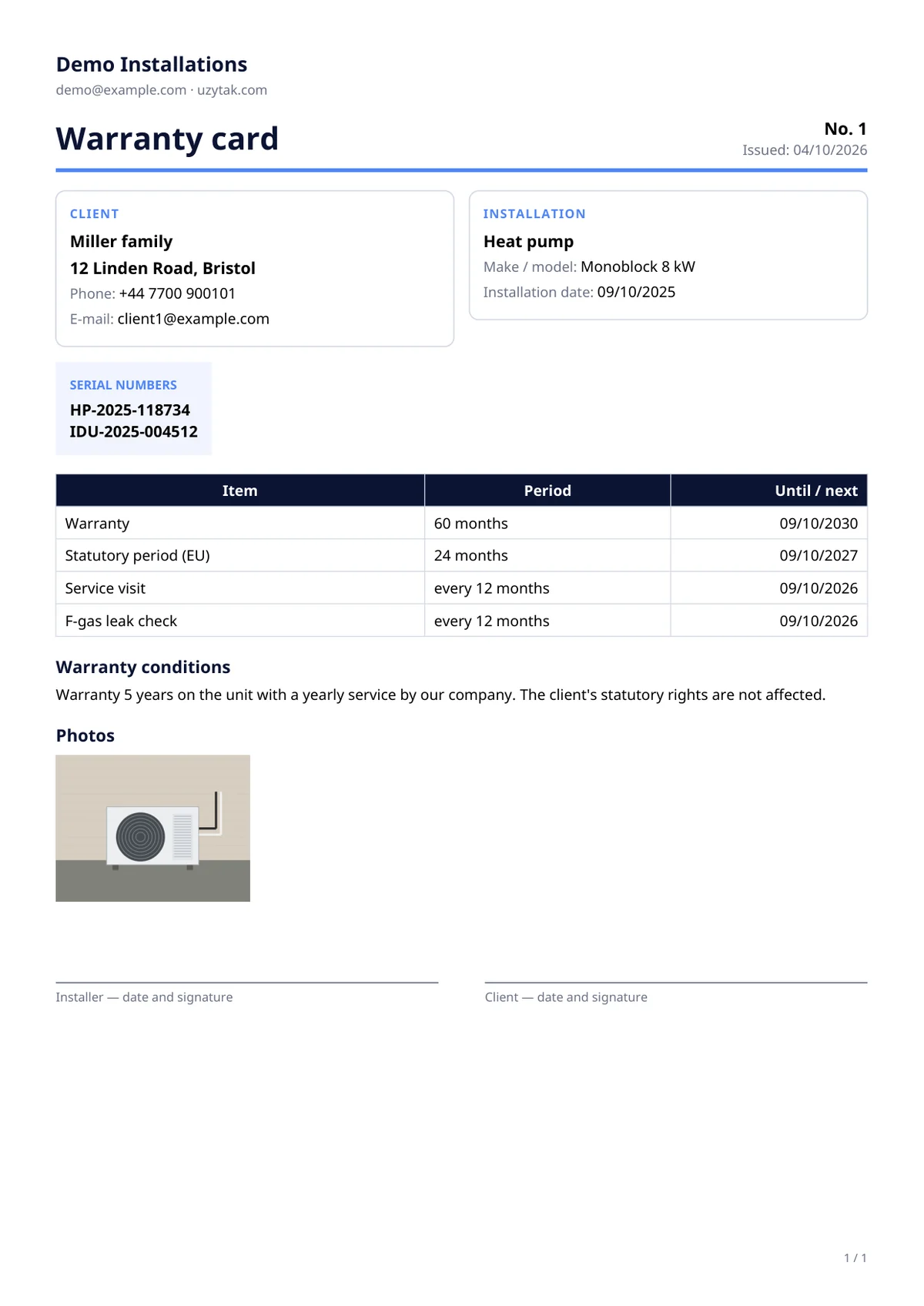
- Share a warranty card PDF with installation, serial numbers, dates, warranty conditions and signature lines.
The app offers presets per country as information, and you can change them. They only help you keep your own dates; the app gives no legal advice.
Honest comparison
| Notebook / spreadsheet | Consumer receipt and warranty apps | Warranty Tracker by UZYTAK | |
|---|---|---|---|
| Built for | anyone | shoppers keeping receipts | trades with client installations |
| Reminder for service and warranty end | by hand | depends on the app | yes, with notification |
| Warranty card PDF | design it yourself | usually no | yes, with signature lines |
| Call or message the client | separate | usually no | one tap |
| Photographing and filing receipts | effort | often the core feature | not described on the app page, so not promised here |
| Cloud, team access | possible | often yes | no, only on your phone |
What we do not do: no cloud, no team app, no legal check, Android 8 or newer only. If you only want to keep a private toaster receipt, pick a consumer app.
Start in 2 minutes
- Install Warranty Tracker by UZYTAK from Google Play.
- Add your first client.
- Add the first installation with serial numbers and install date.
- Enter the warranty end and service date, and turn reminders on.
- Share the warranty card PDF by WhatsApp, e-mail or SMS.
Price
- Free: up to 5 installations, unlimited clients, reminders, service log, call / SMS / WhatsApp / e-mail, warranty card PDF with a small UZYTAK line.
- Pro: €7.99 one payment — unlimited installations, your company name, contacts and logo on PDFs without the footer line, backup export and import. No subscription.
Nothing you entered is ever locked: the 6th installation opens the Pro offer, everything else keeps working.
Questions and answers
Does the app tell me how long the statutory period is? It offers presets per country as information, and you can change them. They only help you keep your own dates: the app gives no legal advice and does not check compliance. Check the rules in your country.
When do I get a reminder? When you turn reminders on, choose how many days before. Android shows a notification on the phone at that time; on Android 13 and newer it asks for the notification permission only then.
What happens at the sixth installation in the free version? Adding a sixth installation opens the Pro offer. Everything you already entered stays as it is; reminders, PDFs and the service log keep working.
Does my client need the app? No. The client gets a normal PDF or a message through WhatsApp, SMS, e-mail or any other app.
Does it work without internet? Yes. Everything is done on the phone; the internet is only needed for the Pro purchase in Google Play.
Where are my clients' details stored? Only in the app's own storage on your phone. Nothing is uploaded; data leaves the phone only when you share a PDF or a backup file.
 Warranty Tracker by UZYTAK
Try it free
Warranties · service reminders Free to use · Pro €7.99 once, no subscription.
UZYTAK — honest apps without ads or subscriptions: pay once, use forever.
Sources
As of: October 2026.
Read also
 Tool Tracker by UZYTAKTool tracking app without subscription: QR labels, offline
A tool tracking app without subscription: who has which tool, at which site, when it is due for inspection. 25 items free, Pro €9.99 once.
Read → PDF Scanner by UZYTAKAd-Free Document Scanner: Receipts for Your Accountant
How to scan receipts and invoices with your phone so your accountant is happy: clean scans, file names, a monthly pack, retention. No watermark.
Read → Mileage Tracker by UZYTAKVehicle Mileage Log in Poland 2026: Rules, Template, App
What a Polish mileage log (ewidencja przebiegu) needs for 100% VAT (art. 86a), when to file VAT-26 and how to keep it on your phone, no subscription.
Read →